
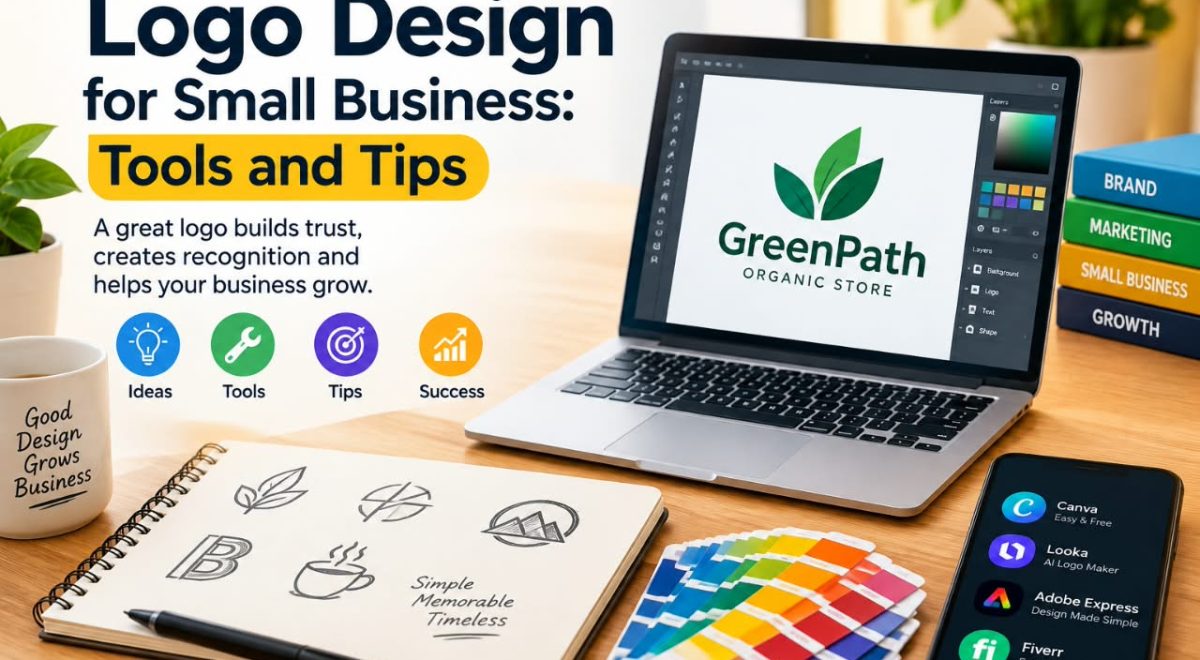
A logo is one of the visual elements people may associate with a small business. It can appear on a website, social media profiles, packaging, invoices, presentations, business cards, and other materials. For that reason, creating a logo that is clear and suitable for the business can be useful even when the company has a limited design budget.
The good news is that small businesses have access to a wide range of logo design tools, from simple online editors to more advanced graphic design software. However, having many choices can also make the process confusing.
This guide explores logo design for small business from a practical perspective. It looks at different types of design tools, what to consider when choosing one, basic design principles, common mistakes, and a simple process for creating a logo that can work across different platforms.
Why Logo Design Matters for Small Businesses
A logo does not explain everything about a business by itself. Instead, it works as one part of the business’s broader visual identity.
A useful logo should generally be:
- Easy to recognize
- Appropriate for the business
- Readable at different sizes
- Simple enough to work in different contexts
- Suitable for both digital and physical materials
For example, a local consulting business may need a logo for its website, LinkedIn profile, proposal documents, and presentations. A small online store may need the same logo on its website, social media pages, product packaging, and promotional graphics.
The important point is that the logo should support the business rather than become a design project without a clear purpose.
How to Choose a Logo Design Tool
There is no single logo design tool that works equally well for every small business. The right choice depends on the user’s design experience, budget, required file formats, and how much control they need.
When comparing tools, consider the following factors.
Ease of Use
Beginners may prefer a tool with templates, drag-and-drop editing, and straightforward controls.
More experienced users may prefer software that provides greater control over typography, shapes, paths, spacing, and other design elements.
An easy interface can save time, but simplicity may also mean fewer advanced controls.
Templates and Design Resources
Some online logo tools provide templates that can help users start with a basic layout.
Templates can be useful for learning how different elements are arranged, but they should not automatically be treated as finished designs. Businesses should review the typography, colors, symbols, spacing, and overall appearance before using a template.
Customization
Look at how much the tool allows you to change.
Useful customization features can include:
- Font selection
- Color controls
- Shape editing
- Icon or symbol selection
- Alignment tools
- Layer management
- Background options
- Image and vector support
If the logo needs to represent a distinctive brand, limited customization may become a disadvantage.
Export Options
File formats matter because a logo may be used in many different situations.
For example, a small business may need:
- PNG for websites and social media
- JPG for some general-purpose uses
- SVG or another vector format for scalable graphics, when supported
- PDF or other formats for certain print workflows
Before choosing a tool, check exactly which export formats are available and whether some formats require a paid plan.
Pricing and Free-Plan Limitations
Some tools offer free features while charging for additional templates, assets, export formats, or other capabilities.
Do not evaluate a logo tool only by its advertised starting price. Check what is actually included in the plan you intend to use.
A free editor may be sufficient for a basic project, while a business that needs more control or specific file formats may require a paid option.
Types of Logo Design Tools
Different categories of tools are suitable for different workflows. Rather than choosing a tool simply because it is popular, compare its features with your actual requirements.
Online Logo Makers
Online logo makers are designed to make the process relatively simple. They often provide templates, icons, fonts, and guided editing features.
They can be useful for:
- Beginners
- Small businesses with limited design experience
- Quick concept development
- Simple brand projects
Their limitations can include less creative control and greater dependence on the assets provided by the platform.
General Graphic Design Tools
General-purpose design platforms can provide more flexibility than specialized logo makers.
They may allow users to create logos from basic shapes, typography, illustrations, and other design elements.
These tools can be useful when a business wants to create a logo while also producing social media graphics, presentations, marketing materials, or other visual content.
Professional Vector Design Software
Vector-based design software is commonly used when precise control and scalable artwork are important.
It can provide tools for creating and editing:
- Paths
- Shapes
- Typography
- Curves
- Custom icons
- Detailed layouts
The trade-off is that professional software often requires more time to learn than beginner-oriented online editors.
Popular Tools to Consider
Choosing a logo design tool depends on what you need to create, how much control you want, and how comfortable you are with design software. The tools below represent different approaches, so comparing their practical differences can help you narrow down your options.
Which Type of Tool Fits Your Business?
If you are a beginner and want a simple workflow, an online design platform may be easier to start with. These platforms can be useful when you want to create a basic logo without spending a lot of time learning advanced design software.
If you need more customization, a professional vector design tool may be more appropriate. These tools generally provide greater control over shapes, paths, typography, and other design elements, although they can require more time to learn.
If your business needs a logo as well as social media graphics, presentations, and other marketing materials, a general design platform may fit better with your overall workflow.
Before choosing a tool, consider your design experience, budget, required export formats, customization needs, and where the logo will be used. A tool that works well for one small business may not be the right choice for another.
The following tools are therefore compared based on their different workflows and practical use cases rather than being presented as one universal “best” option.
Canva
Canva is an online visual design platform with templates, graphics, typography, and editing features that can be useful for small businesses.
It may be suitable for business owners who want to create logos alongside social media posts, presentations, marketing graphics, and other visual materials.
One limitation is that users should carefully review the licensing terms for the elements they use, particularly when creating a logo intended to function as a unique brand mark.
Who Should Consider Canva?
Canva may be worth considering for small business owners who want to create a logo while also producing social media graphics, presentations, and other marketing materials within a similar workflow. It can be particularly useful when the business needs to create different types of visual content rather than only a logo.
What to Consider Before Choosing It
If the logo requires highly customized vector artwork or a distinctive identity system, compare Canva’s current capabilities with more specialized design software before making a decision. Also review the current licensing terms for any templates, fonts, icons, or other design elements used in the logo.
Adobe Express
Adobe Express provides browser-based design tools and templates for creating various types of visual content.
It can be worth considering if a small business wants a relatively accessible design workflow while also working with other Adobe-related services.
As with other platforms, check current features, pricing, and available export options before making a decision.
Who Should Consider Adobe Express?
Adobe Express may be worth considering for small businesses that want an accessible design workflow for logos and other marketing materials. It can be useful when the same business needs to create social posts, promotional graphics, or other visual content alongside its logo.
What to Consider Before Choosing It
Before choosing Adobe Express specifically for logo design, check its current customization features, export options, pricing, and available design assets. If the project requires detailed vector editing or highly customized artwork, compare its capabilities with more specialized design software.
Affinity
Affinity’s design applications are aimed more toward users who want greater control over graphic design work.
A tool in this category may be more appropriate for someone who wants to construct a logo from custom shapes and typography rather than relying primarily on ready-made templates.
The learning curve can be higher than that of a simple online editor, so beginners should consider how much time they are willing to spend learning the software.
Who Should Consider Affinity?
Affinity may be worth considering for users who want more hands-on control over graphic design rather than relying mainly on ready-made logo templates. It can be a better fit for projects where shapes, typography, curves, and custom artwork need to be adjusted carefully.
What to Consider Before Choosing It
The additional control can also mean a steeper learning curve for beginners. Before choosing Affinity, consider how much time you are willing to spend learning the software and whether its current features and export options meet your logo and branding requirements.
VistaCreate
VistaCreate is another online design platform that provides templates and visual design resources.
It can be useful for small businesses that want to create a logo while also producing other marketing graphics.
Before choosing it specifically for logo work, compare its current export capabilities and customization options with the requirements of your project.
Who Should Consider VistaCreate?
VistaCreate may be worth considering for small businesses that want an online design workflow for logos and other marketing graphics. It can be useful when a business wants to create multiple types of visual content from a relatively accessible design environment.
What to Consider Before Choosing It
Before using VistaCreate for a final business logo, compare its current logo customization and export capabilities with the requirements of your project. If you need highly customized artwork or more advanced vector editing, a specialized design tool may provide a different workflow.
How to Create a Logo for a Small Business
A good logo project does not have to begin with complicated software. The planning stage is often more important than the tool itself.
1. Define the Business
Start by identifying what the business actually does.
Ask:
- What products or services does it provide?
- Who is the intended audience?
- What type of image should the business communicate?
- Where will the logo be used?
For example, a professional accounting firm may want a different visual direction from a children’s educational brand.
2. Choose a Simple Design Direction
Avoid trying to communicate every aspect of a business in one logo.
Choose one or two ideas that are closely connected to the brand.
A technology company might explore geometric shapes or a simple wordmark. A local food business might consider typography combined with a restrained symbol.
The goal is not to make the logo complicated. It is to create a visual identity that makes sense for the business.
3. Select Appropriate Typography
Typography can significantly affect how a logo feels.
A font may appear:
- Modern
- Traditional
- Friendly
- Formal
- Technical
- Minimal
Choose typography based on the business’s identity rather than simply selecting a font because it looks attractive in isolation.
Also test whether the business name remains readable at small sizes.
4. Use Color Carefully
Color can help establish a visual identity, but more colors do not necessarily create a better logo.
Start with a small color palette and test the design in both color and grayscale.
This can reveal whether the logo depends too heavily on color to remain recognizable.
5. Test Different Sizes
A logo may look good on a large desktop screen but become difficult to read as a small social media icon.
Test it at several sizes.
For example:
- Website header
- Social media profile image
- Mobile screen
- Business card
- Small document header
This helps identify problems with small text, thin lines, or overly detailed symbols.
6. Check the Logo in Different Formats
If the design will be used across different platforms, check the available export formats.
Keep a high-quality original version of the design where possible and create appropriate versions for different uses.
A business may need one version for a website and another for printed materials.
Practical Logo Design Tips
Keep the Design Recognizable
A logo should not require a long explanation before someone can understand its basic visual structure.
Simple shapes, readable typography, and a clear composition can make the design easier to use.
Avoid Unnecessary Details
Tiny decorative elements may disappear when the logo is reduced.
If a detail does not contribute meaningfully to the design, consider removing it.
Create a Black-and-White Version
A black-and-white version is useful for situations where color is unavailable or inappropriate.
It also provides a simple way to evaluate whether the basic design remains recognizable without relying on color.
Consider the Background
Test the logo on both light and dark backgrounds if the business expects to use it in different environments.
A logo that works only on one background may require additional versions.
Maintain Consistent Branding
The logo should work with the broader visual identity of the business.
Consider using related:
- Colors
- Fonts
- Graphic elements
- Image styles
- Layout conventions
Consistency can make business materials feel more connected.
Common Logo Design Mistakes
Small businesses can run into several avoidable problems when creating their first logo. Understanding these issues early can make the design process easier and help you evaluate the final logo more carefully.
| Mistake | Better Approach |
| Too many fonts | Use a limited typography system |
| Too many colors | Start with a simple color palette |
| Too much detail | Test the logo at small sizes and simplify where necessary |
| Copying another brand | Develop an original concept and avoid designs that could cause confusion |
| Ignoring file formats | Check export requirements before finalizing the logo |
These are practical starting points rather than strict design rules. The appropriate approach can depend on the business, audience, logo style, and intended use.
Using Too Many Fonts
Combining many typefaces can make a logo appear disorganized. A more restrained approach can make the design easier to read and reproduce across different business materials.
Copying Another Brand’s Design
A business should avoid simply reproducing another company’s logo or creating a design that could cause confusion with an existing brand. Instead, use other designs only as general inspiration while developing an original visual direction.
Making the Logo Too Detailed
Complex illustrations can become difficult to reproduce at small sizes. Test the design as a small website icon or social media profile image to see whether important details remain visible.
Ignoring Usage Requirements
Creating the logo is only part of the process. Think about where it will actually appear before finalizing the design. A logo may need to work across websites, social media, documents, packaging, or printed materials.
Choosing a Tool Without Checking Export Options
A design tool may appear suitable until you discover that the file format you need is unavailable on your current plan. Check export options before investing significant time in the design.
How to Compare Logo Design Tools
Choosing a logo design tool is easier when you use a structured comparison rather than relying on a list of popular platforms.
A useful curation process is:
Research → Select → Compare → Explain → Apply to real use cases
First, identify tools that are relevant to small-business logo design. Then select a manageable group representing different approaches, such as online editors and professional design software.
Next, compare practical factors:
| Factor | Why It Matters |
| Ease of use | Helps determine how quickly beginners can work |
| Customization | Shows how much control users have over the design |
| Templates | Useful for starting concepts |
| Typography | Important for wordmarks and readable branding |
| Export formats | Determines how the logo can be used |
| Pricing | Helps match the tool to the business budget |
| Learning curve | Indicates how much time may be needed to become comfortable |
| Other design features | Useful when the business needs more than a logo |
The purpose of this comparison is not to declare one tool the universal winner. A beginner creating a simple business logo may have different requirements from a designer creating a detailed brand identity.
What the Comparison Shows
The comparison shows that logo design tools serve different types of users. Simpler platforms can make it easier for beginners to get started, while more advanced software can provide greater control over shapes, typography, and custom artwork.
For a small business, the number of features is not necessarily the most important factor. A tool may have many features but still be unnecessary for someone who only needs a simple logo. On the other hand, a business that needs a highly customized design may benefit from having more control over the design process.
The practical choice therefore depends on factors such as design experience, budget, customization needs, export requirements, and how the logo will be used.
A Simple Example
Imagine a small consulting business needs a logo for its website, social media profiles, and business documents.
The owner could begin by defining three characteristics they want the design to communicate, such as professionalism, clarity, and reliability.
They could then create several simple concepts using an accessible design tool.
Instead of immediately selecting the first attractive version, they could compare the concepts at different sizes, test them in black and white, check readability, and consider how each version would appear alongside the company’s website and marketing materials.
This process adds value beyond simply choosing a template because the business is evaluating the design according to real-world requirements.
When Should a Small Business Hire a Designer?
DIY logo tools can be useful for simple projects, but they are not suitable for every situation.
Consider professional design assistance when:
- The brand identity is strategically important
- The business needs a highly distinctive visual identity
- The logo requires complex custom artwork
- The business expects extensive branding materials
- The team does not have enough time to manage the design process
- Trademark or brand-identity considerations require professional guidance
A professional designer can also help develop a broader identity system rather than creating only a single logo.
For businesses with simple requirements, however, an accessible design tool may be a practical starting point.
Choosing a Logo Tool by Business Need
The best type of logo design tool depends on what the business actually needs. Instead of choosing a platform based only on its popularity or number of features, consider the specific task, design experience, budget, and level of customization required.
| Business Need | Tool Type to Consider | Why |
| Beginner creating a simple logo | Online design platform | Easier starting point |
| Logo + social media graphics | General design platform | Supports multiple design tasks |
| Highly customized logo | Vector design software | Greater design control |
| Limited budget | Free or entry-level option | Lower initial cost |
| Professional branding project | Advanced design workflow | More customization |
These are starting points rather than universal rules. A small business should compare the tool’s current features, pricing, licensing terms, export options, and customization capabilities before choosing.
The goal is to select a workflow that matches the business’s actual requirements rather than simply choosing the tool with the most features.
What to Check Before Choosing a Logo Design Tool
Before committing to a logo design tool, check whether it actually meets the needs of your business. A tool may look convenient at first but have limitations that become important when you are ready to export, customize, or use the logo in different places.
Use this checklist before making your choice:
- Budget: Is the feature you need available on the free plan, or does it require a paid subscription?
- Export: Can you download the file formats required for your website, social media, documents, or print materials?
- Customization: Can you modify the logo enough to create a design that fits your business?
- Licensing: Are the fonts, icons, templates, and graphics suitable for your intended use? Check the platform’s current licensing terms.
- Scalability: Will the logo remain clear and usable at both small and large sizes?
- Workflow: Can you use the same tool for other business graphics if you need them?
- Learning curve: How much time will you need to learn the tool before you can use it comfortably?
Checking these factors first can help you avoid choosing a tool based only on its templates or appearance. The goal is to find a tool that fits your actual design requirements, budget, and intended use.
A Quick Logo Quality Test
Before publishing a logo, test it in several real-world situations. Look at it in a website header, social media profile, mobile screen, business document, and small printed format.
If the business name becomes difficult to read or important design details disappear when the logo is reduced, consider simplifying the design.
Ask Yourself
- Can I recognize the logo when it is small?
- Is the business name easy to read?
- Does the design still work without color?
- Does it work on both light and dark backgrounds?
- Does it still look appropriate outside the design editor?
A logo that passes these basic checks is easier to evaluate for everyday business use. Testing it in realistic situations can reveal problems that may not be obvious while designing it.
Final Checklist Before Using a Logo
Before publishing a new logo, review it against this checklist:
- Is the business name readable?
- Does the design fit the business?
- Does it remain recognizable at small sizes?
- Does it work in black and white?
- Does it work on the intended backgrounds?
- Are the colors and fonts appropriate?
- Are the required file formats available?
- Have you checked the platform’s licensing terms for the assets used?
- Does the design appear sufficiently distinct from existing brands?
- Can the logo be used consistently across the business’s main channels?
Taking a few minutes to review these points can prevent avoidable problems later.
Frequently Asked Questions
What is the easiest way to create a logo for a small business?
An online design or logo-making platform can be a convenient starting point for beginners. Choose a tool based on ease of use, customization, export options, pricing, and the type of logo you need.
Can I design a small business logo without professional design experience?
Yes. Beginner-friendly design tools can help users create simple logos without advanced design knowledge. However, creating a distinctive and carefully constructed brand identity may require more design expertise.
What file format should a small business logo have?
The appropriate format depends on how the logo will be used. PNG can be useful for many digital applications, while vector formats such as SVG can be useful when scalable artwork is supported and appropriate. Check the requirements of the platform or printer where the logo will be used.
Should a small business use a logo template?
Templates can provide a useful starting point, especially for beginners. However, businesses should customize the design appropriately, review licensing conditions for included assets, and avoid creating a logo that is too similar to an existing brand.
When should a small business hire a professional logo designer?
Professional help can make sense when the business needs a distinctive identity, custom artwork, extensive brand guidelines, or a design that will be used across many important business materials. A DIY tool may be sufficient for simpler needs.
Conclusion
Effective logo design for small business is less about finding a tool with the largest number of features and more about choosing a workflow that fits the business.
Online design platforms can make basic logo creation accessible, while more advanced vector software can provide greater control for users who need custom designs. The right choice depends on factors such as design experience, customization needs, budget, and required file formats.
Whatever tool you choose, start with the business’s identity and intended use. Keep the design clear, test it at different sizes, review licensing requirements, and make sure the final logo works across the places where customers are likely to see it.
For changing features, pricing, and licensing terms, always check the relevant tool’s official information before making a final decision.