
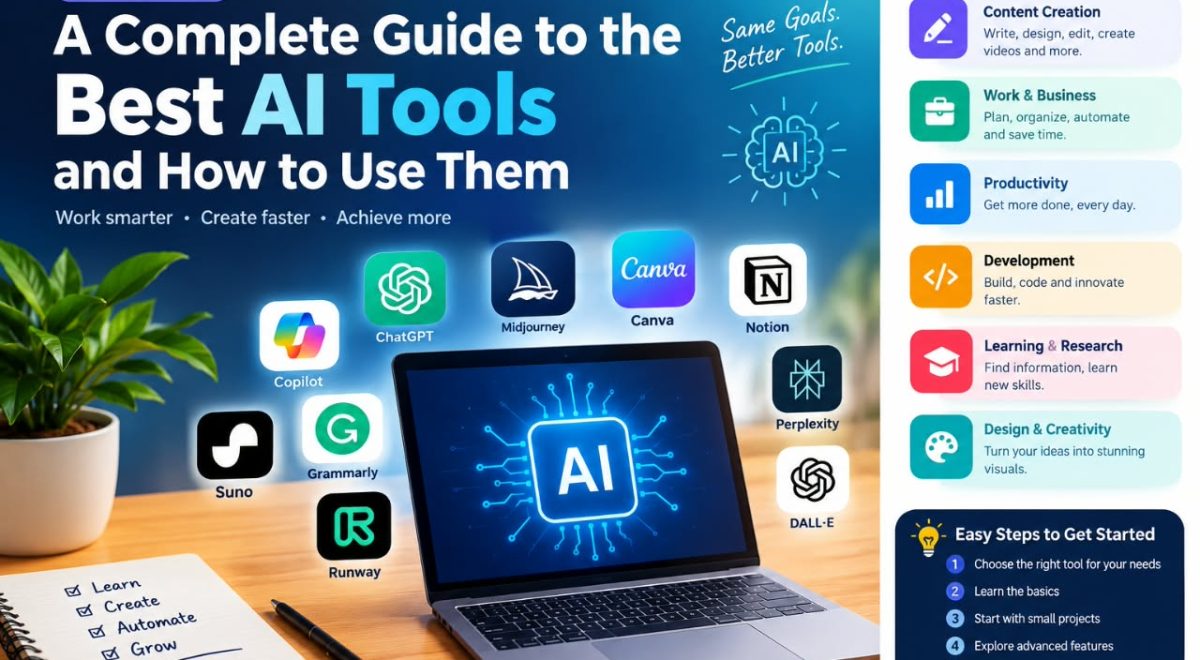
introduction
Artificial intelligence has become part of many everyday digital tasks, from writing and research to graphic design, coding, data analysis, and productivity. As a result, there are now thousands of AI tools designed to help people complete specific tasks or improve existing workflows.
But choosing an AI tool is not always easy. Different tools are built for different purposes, and a tool that works well for writing may not be the best choice for image creation, research, programming, or business tasks.
This guide explains what AI tools are, the main types available, how they can be used, their benefits and limitations, and how to choose the right tool for your needs.
What Are AI Tools?
AI tools are software applications or digital services that use artificial intelligence to perform, assist with, or automate tasks that normally require human input.
Depending on the tool, AI can help generate text, analyze information, create images, summarize documents, translate languages, write or explain code, organize information, and assist with other digital tasks.
For example, conversational AI tools can answer questions, draft and rewrite text, summarize information, translate languages, and help with problem-solving. Some platforms also provide capabilities such as file analysis, image generation, data analysis, and web research.
AI tools should generally be viewed as assistants rather than automatic replacements for human judgment. The quality of the result depends on the tool, the task, the information provided, and how carefully the output is reviewed.
How Do AI Tools Work?
Most modern AI tools use machine-learning models that have been trained to recognize patterns in large amounts of data.
A user typically provides an instruction, question, file, image, or other input. The AI system processes that input and produces an output based on its underlying model and the task it was designed to perform.
For example:
- You provide a question or instruction.
- The AI interprets the request.
- Its model processes the input.
- The tool generates a response or result.
- You review and improve the output.
The exact technology differs between AI tools. Some are primarily designed for language, while others focus on images, audio, video, data, coding, or specialized business tasks.
Types of AI Tools
There is no single type of AI tool. They can be grouped according to the problems they help users solve.
AI Writing Tools
AI writing tools can help with tasks such as brainstorming, drafting, rewriting, summarizing, editing, and organizing written content.
They can be useful for:
- Blog outlines
- Email drafts
- Product descriptions
- Social media ideas
- Summaries
- Brainstorming
- Grammar improvement
- Content planning
However, generated writing should be reviewed before publication. AI can produce incorrect information, unclear statements, or content that does not properly reflect the writer’s intended meaning.
AI Research Tools
Research-focused AI tools can help users find, organize, compare, and summarize information.
Some advanced systems can search online sources and produce structured reports with citations. For example, OpenAI’s current documentation describes Deep Research as a feature designed to research and synthesize complex questions using web sources, uploaded files, and other permitted sources.
Research tools can be useful for:
- Preliminary research
- Comparing products or services
- Organizing notes
- Summarizing documents
- Identifying questions for further research
- Building research outlines
Important facts should still be checked against reliable primary or official sources.
AI Image Generation Tools
AI image tools can create or modify visual content based on written instructions.
They can be useful for:
- Blog illustrations
- Concept images
- Marketing graphics
- Creative projects
- Presentation visuals
- Design experimentation
Many design platforms now combine traditional design software with AI-powered features. Canva, for example, provides AI capabilities for creating designs, images, and other visual content within its platform.
Users should check the applicable licensing and usage terms before using AI-generated visuals commercially.
AI Video Tools
AI video tools can assist with parts of the video-production process, including generating visual content, editing, creating scripts, adding effects, or producing other media elements.
Possible uses include:
- Short-form video production
- Educational content
- Marketing videos
- Video scripts
- Storyboards
- Captions and transcripts
The available features vary significantly between platforms, so users should check the current terms, pricing, and commercial-use policies before selecting a tool.
AI Coding Tools
AI coding assistants can help programmers write, explain, debug, and improve software code.
They may help with:
- Explaining unfamiliar code
- Generating code examples
- Finding potential errors
- Creating documentation
- Converting code between languages
- Brainstorming implementation approaches
AI-generated code should be tested carefully. A response that looks technically correct can still contain bugs, security problems, inefficient logic, or assumptions that do not match a particular project.
AI Productivity Tools
Productivity-focused AI tools can help users organize information and complete repetitive tasks.
Examples include tools that assist with:
- Meeting summaries
- Task organization
- Document creation
- Email drafting
- Information extraction
- Planning
- Data analysis
Microsoft Copilot, for example, is integrated into Microsoft’s ecosystem and can assist with tasks involving documents, spreadsheets, presentations, files, questions, and other productivity workflows, although available features depend on the account and subscription.
AI Tool Selection by Task
Instead of choosing an AI tool because it is popular, start by identifying the task you need to complete.
| Your Goal | AI Tool Category | What to Look For |
|---|---|---|
| Write or improve content | AI Writing Tools | Writing, editing, summarization |
| Research a topic | AI Research Tools | Source discovery, citations, document analysis |
| Create visuals | AI Image Tools | Image generation, editing, design features |
| Produce videos | AI Video Tools | Editing, scripts, captions, generation |
| Work with code | AI Coding Tools | Code generation, debugging, explanations |
| Organize work | AI Productivity Tools | Planning, summaries, automation, integrations |
The same tool may support several categories, but its usefulness depends on how well its features match your specific task.
My Practical Recommendation: Choose the category first and compare individual tools second. This can help you avoid paying for features that do not match your actual workflow.
Popular Examples of AI Tools
The best AI tool depends on the task rather than simply how popular a product is.
ChatGPT
ChatGPT is a general-purpose AI assistant that can help with writing, explanations, brainstorming, translation, problem-solving, research, file-related tasks, and other workflows depending on the available features and plan.
It can be useful when you need one flexible tool for several different types of tasks.
Microsoft Copilot
Microsoft Copilot is designed to assist with work and productivity tasks. Depending on the version and subscription, it can work with Microsoft applications and help users create documents, spreadsheets, presentations, images, and other content.
It can be particularly useful for people already working extensively within the Microsoft ecosystem.
Canva AI
Canva includes AI-powered features that support design and creative workflows. Its current AI platform can assist with design, writing, images, and other creative tasks.
This makes it useful for people who want AI assistance without moving away from a visual design environment.
How to Compare AI Tools
When comparing AI tools, look beyond the name or popularity of the product. Consider how each tool fits your specific workflow.
| Factor | What to Consider |
|---|---|
| Main purpose | Does the tool match the task you need to complete? |
| Features | Does it provide the capabilities you actually need? |
| Ease of use | Can you use it comfortably without unnecessary complexity? |
| Pricing | Does the cost make sense for your expected usage? |
| Usage limits | Are there limits that could affect your workflow? |
| Integrations | Does it work with the other software you already use? |
| Privacy | Are you comfortable with how your information is handled? |
| Output quality | Does the result meet your practical requirements? |
There is no need to choose a tool based only on the number of features it offers. A simpler tool may be more useful if it fits your workflow better.
My Practical Recommendation: Test important tools with the same realistic task whenever possible. Comparing actual results can give you more useful information than relying only on feature lists or promotional claims.
Benefits of AI Tools
When used appropriately, AI tools can provide several practical benefits.
1. Save Time on Repetitive Tasks
AI can help reduce the amount of manual work involved in tasks such as summarizing text, creating drafts, organizing information, or transforming existing content.
2. Support Brainstorming
AI can provide alternative ideas, questions, outlines, and approaches when you are starting a project.
The user remains responsible for deciding which ideas are useful.
3. Improve Accessibility
Some AI applications can translate languages, summarize lengthy material, convert information into different formats, or provide assistance with complex digital tasks.
4. Help With Learning
Students and independent learners can use AI tools to explain difficult concepts, create practice questions, organize notes, and explore subjects from different perspectives.
AI should support learning rather than replace the process of understanding and evaluating information.
5. Support Creative Work
Designers, writers, marketers, and other creators can use AI for brainstorming and experimentation.
For example, a designer might use an AI feature to explore several visual concepts before manually refining the strongest idea.
6. Make Some Software Easier to Use
AI features can simplify certain tasks inside complex applications by allowing users to describe what they want in natural language.
This can make some workflows easier for people who are unfamiliar with every feature of a particular application.
Limitations of AI Tools
AI tools are useful, but they are not perfect.
AI Can Produce Incorrect Information
AI-generated answers can contain factual errors. Even when an answer sounds confident, it may still be wrong.
For important information, verify claims using reliable sources.
AI Output Requires Human Review
Generated text, images, code, and other outputs should be reviewed before being used.
Human judgment remains particularly important when the content affects important decisions, customers, finances, safety, or reputation.
Features and Prices Change
AI products are developing quickly. Features that are available today may change, move behind a paid plan, or be replaced by new capabilities.
Always check the provider’s official website for current pricing, limits, features, and terms.
Privacy Matters
Before uploading information to an AI service, understand what data you are sharing and review the provider’s privacy and data-handling policies.
Avoid submitting confidential business information, passwords, financial information, personal identification documents, or other sensitive material unless you understand how the service handles it and have an appropriate reason to do so.
AI Is Not Always the Best Solution
Sometimes a traditional tool is faster, cheaper, or more appropriate.
For example, if you simply need to calculate a number, a standard calculator may be more reliable than asking an AI system to perform the calculation.
The goal should be solving the problem effectively—not using AI for every task.
How to Choose the Right AI Tool
Choosing an AI tool becomes easier when you start with the task rather than the technology.
Step 1: Define Your Goal
Ask yourself what you actually need to accomplish.
For example:
- Write an article
- Analyze a spreadsheet
- Create a presentation
- Generate an image
- Edit a video
- Research a topic
- Write code
- Organize tasks
A specific goal makes it easier to identify the appropriate category of tool.
Step 2: Compare Features
Look at the features offered by different tools.
Consider whether you need:
- Text generation
- Image generation
- File uploads
- Web research
- Data analysis
- Coding assistance
- Collaboration
- Automation
- Integration with other software
Do not pay for advanced features you are unlikely to use.
Step 3: Check Pricing
Many AI tools offer free access with limitations, while others require subscriptions or usage-based payments.
Before subscribing, check:
- Monthly price
- Usage limits
- Free-plan restrictions
- Extra charges
- Cancellation terms
- Commercial-use conditions
Pricing can change, so check the provider’s current pricing page before making a purchase.
Step 4: Review Privacy and Security
Read the provider’s privacy and security information, especially if you plan to use the tool for work.
Think carefully about what information you upload and whether the service is appropriate for your intended use.
Step 5: Test Before Committing
If a free version or trial is available, test the tool using realistic tasks.
A tool that looks impressive in a demonstration may not fit your particular workflow.
AI Tool Evaluation Checklist
Before committing to an AI tool, use this checklist:
- Does it solve your main problem?
- Does the output quality meet your needs?
- Are the features you need available on your plan?
- Are the usage limits practical for your workload?
- Is the pricing reasonable for how often you will use it?
- Does it work with your existing workflow?
- Are the privacy and data-handling terms acceptable?
- Can you easily export or use the results elsewhere?
- Does the tool provide enough control over the output?
- Would using this tool actually save you time?
My Practical Recommendation: Evaluate an AI tool using a real task you regularly perform. If it produces useful results and improves your workflow without creating unnecessary extra work, it may be worth keeping.
AI Tools for Different Types of Users
Different users have different needs.
AI Tools for Students
Students may use AI to:
- Explain difficult subjects
- Summarize study material
- Generate practice questions
- Brainstorm assignments
- Organize notes
- Practice languages
However, students should follow their school’s academic policies and use AI as a learning aid rather than submitting generated work as their own when that is prohibited.
AI Tools for Content Creators
Content creators can use AI for:
- Topic brainstorming
- Content outlines
- Script development
- Image concepts
- Editing assistance
- Research organization
Human editing and fact-checking remain important for producing trustworthy content.
AI Tools for Small Businesses
Small businesses can use AI to support tasks such as:
- Drafting customer communications
- Creating marketing ideas
- Organizing information
- Analyzing business data
- Creating presentations
- Producing design concepts
Businesses should establish clear rules for confidential information and review AI-generated material before it reaches customers.
AI Tools for Developers
Developers can use AI coding assistants for brainstorming, documentation, debugging, code generation, and explanations.
The resulting code should be reviewed, tested, and checked for security before being deployed.
Tips for Getting Better Results From AI Tools
The quality of an AI response often depends on the quality of the instructions.
Be Specific
Instead of asking:
“Write something about marketing.”
Try giving the tool a clear goal, audience, format, and subject.
For example, you could request an introductory explanation of digital marketing for beginners and specify the desired structure.
Provide Context
Tell the AI what it needs to know.
Useful context may include:
- Target audience
- Desired format
- Project goal
- Tone
- Length
- Important limitations
- Existing information
Ask for Structure
If you need an organized result, specify the format.
For example, ask for:
- A step-by-step guide
- A comparison table
- A list of advantages and disadvantages
- An outline
- Frequently asked questions
Review the Result
Never assume that generated content is automatically accurate.
Check facts, calculations, names, dates, sources, code, and other important details.
Improve the Output
AI works well as an iterative assistant.
You can ask it to clarify a section, simplify language, identify weaknesses, suggest alternatives, or reorganize information.
Free vs. Paid AI Tools
Free AI tools can be useful for basic experimentation and everyday tasks. They may be sufficient for someone who only needs occasional assistance.
Paid plans can offer additional features, higher usage limits, advanced models, larger file capabilities, or other premium functionality, depending on the provider.
There is no universal rule that paid AI tools are better for everyone.
Choose based on your actual needs and usage rather than paying for features you do not require.
Are AI Tools Replacing Human Work?
AI is changing how many people perform digital tasks, but that does not mean every task can or should be completely automated.
AI is particularly useful for assisting with repetitive work, generating initial ideas, processing information, and accelerating parts of a workflow.
Human skills remain important for judgment, creativity, communication, decision-making, fact-checking, strategy, and understanding context.
A practical approach is to treat AI as a tool that supports human work rather than assuming it can independently handle every part of a project.
Common Mistakes When Using AI Tools
Using AI Without Checking the Output
One of the most common mistakes is accepting an AI response without verification.
Choosing a Tool Because It Is Popular
A popular tool may not be the right tool for your specific task.
Sharing Sensitive Information
Think carefully before uploading private or confidential data.
Expecting Perfect Results From One Prompt
Complex tasks often require several rounds of instructions and human editing.
Using Too Many Tools
Switching between numerous AI applications can make a workflow more complicated.
In many cases, it is better to learn one or two suitable tools well before adding more.
A Practical AI Workflow
A useful way to work with AI is to divide the process into clear stages instead of expecting one prompt or one tool to complete everything.
- Define the task – Decide exactly what you want to accomplish.
- Choose the appropriate tool – Select a tool based on the task and required features.
- Provide useful context – Give the AI the information it needs to produce a relevant result.
- Generate an initial result – Use the AI to create a draft, analysis, idea, or other starting point.
- Review the output – Check facts, accuracy, quality, and whether the result matches your goal.
- Refine the result – Ask for improvements or make your own edits where necessary.
- Verify important information – Use reliable sources when accuracy matters.
- Finalize the work – Apply human judgment before publishing, sharing, or using the result.
My Practical Recommendation: Use AI for a portion of your work rather than the entire process. The best results often come from combining AI assistance with human review, editing, and decision-making. It can help guide your workflow.
Frequently Asked Questions About AI Tools
What are AI tools used for?
AI tools can assist with writing, research, coding, design, data analysis, translation, productivity, image generation, and many other digital tasks. The available capabilities depend on the specific tool.
Are AI tools free?
Some AI tools offer free versions, while others require subscriptions or charge based on usage. Free versions may have limitations on features, usage, speed, or access to advanced capabilities.
What is the best AI tool?
There is no single best AI tool for every person or task. The right choice depends on what you want to accomplish, your budget, required features, privacy needs, and preferred workflow.
Can AI tools make mistakes?
Yes. AI systems can generate incorrect or misleading information. Important information should be checked against trustworthy sources before being relied upon.
How can beginners start using AI tools?
Start with one simple task, choose a tool designed for that task, and experiment with clear instructions. Review the results carefully and gradually learn how to provide better context and prompts.
Conclusion
AI tools can make many digital tasks faster, easier, and more accessible, but their value depends on how they are used. Writing assistants, research tools, image generators, coding assistants, and productivity applications each serve different purposes.
The best approach is to start with a clear problem, compare tools based on useful features, understand pricing and privacy considerations, and test the results before relying on them.
Most importantly, AI should support human judgment rather than replace it. When you combine the strengths of AI with careful review, creativity, and decision-making, these tools can become practical additions to everyday work and learning.