



Introduction
Why Every Freelance Designer Needs CorelDRAW is a question many new and experienced graphic designers ask when choosing professional design software. Freelance designers need tools that are reliable, flexible, easy to use, and capable of producing professional results. CorelDRAW offers powerful vector design features that can help freelancers create logos, business cards, posters, brochures, banners, packaging, illustrations, and many other types of graphics.
For a freelancer, choosing the right design software is more than simply picking a popular program. The right software can improve your workflow, help you complete projects faster, make client revisions easier, and allow you to offer more services.
CorelDRAW has remained a popular option for graphic designers because of its combination of vector drawing, typography, page layout, illustration, and print-design capabilities. Whether you are building your first freelance portfolio or already working with clients, learning CorelDRAW can be a valuable investment in your design skills.
What Is CorelDRAW?
CorelDRAW is professional graphic design software primarily known for vector graphics and illustration. Designers use it to create artwork that can be scaled to different sizes while maintaining sharpness and quality.
This is particularly useful for freelance designers because clients may need the same design in multiple sizes. For example, a logo might be used on a business card, website, social media profile, sign, or large banner.
CorelDRAW can be used for many different design projects, including:
- Logo design
- Business cards
- Flyers
- Posters
- Brochures
- Banners
- Labels
- Packaging
- Signage
- T-shirt graphics
- Illustrations
- Branding materials
- Marketing graphics

Why Every Freelance Designer Needs CorelDRAW
There are several reasons freelance designers can benefit from learning CorelDRAW. From creating scalable graphics to preparing professional print files, the software provides tools that can support many types of freelance projects.
1. Powerful Vector Design
One of the biggest advantages of CorelDRAW is its vector-based design system.
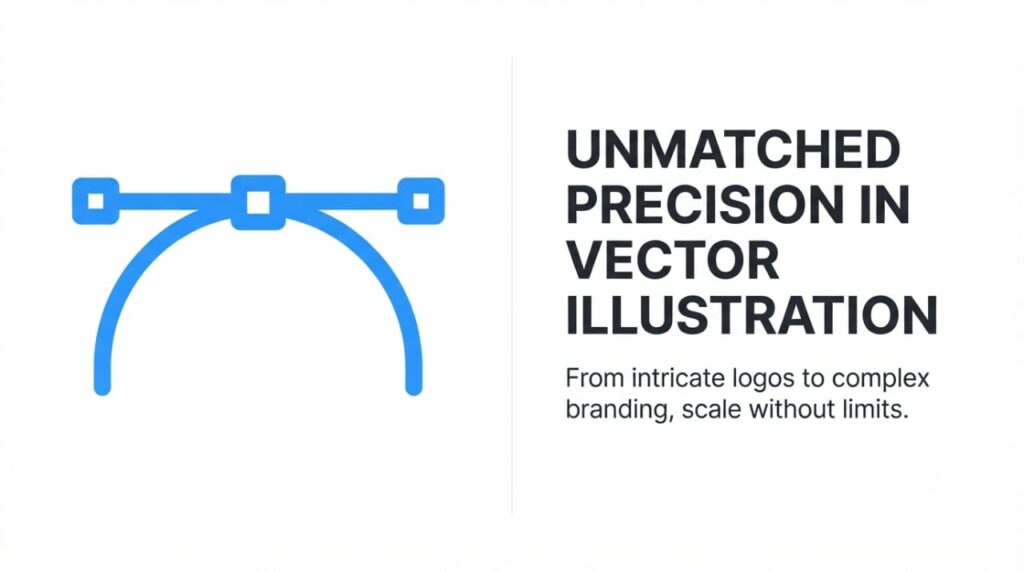
Vector graphics are created using mathematical paths rather than individual pixels. This means a design can be enlarged or reduced without becoming blurry or losing its sharp edges.
For freelance designers, this is extremely useful.
A client might request a logo for a small business card today and a large storefront sign tomorrow. If the original logo is created as a vector, the designer can resize it for different applications without recreating the artwork.
This flexibility is one of the main reasons Why Every Freelance Designer Needs CorelDRAW is worth considering.
2. Excellent for Logo Design
Logo design is one of the most common services offered by freelance graphic designers.
CorelDRAW provides tools for creating shapes, curves, lines, typography, and custom illustrations. Designers can combine these elements to create professional and unique logos.
A freelancer may need to deliver a logo in several formats, including versions for:
- Websites
- Social media
- Business cards
- Letterheads
- Product packaging
- Signs
- Advertising materials
Creating the original artwork as a vector makes these different applications much easier to manage.
3. Great for Print Design
Print design remains an important source of work for many freelancers.
Businesses regularly need printed materials such as flyers, posters, brochures, business cards, menus, labels, and banners.
CorelDRAW provides tools that allow designers to work with page sizes, layouts, text, shapes, images, and other design elements.
This makes it particularly useful when working with local businesses and professional printing companies.
4. Helps Freelancers Save Time
Freelancers often manage several responsibilities at the same time. They need to communicate with clients, create designs, make revisions, prepare files, market their services, and meet deadlines.
An efficient design workflow can therefore make a major difference.
CorelDRAW provides features for alignment, object management, duplication, shape creation, typography, and other repetitive tasks. Once a designer becomes familiar with these tools, many projects can be completed more efficiently.
Saving even a small amount of time on each project can become significant when working with multiple clients.
How CorelDRAW Helps With Client Projects
Easy Design Revisions
Client revisions are a normal part of freelance design work.
A client may ask you to change:
- Colors
- Fonts
- Text
- Shapes
- Images
- Spacing
- Dimensions
- Layout
Because CorelDRAW allows designers to work with individual objects and editable elements, changes can often be made without rebuilding the entire project.
This can make the revision process faster and more manageable.
Creating Multiple Design Versions
Clients sometimes need different versions of the same design.
For example, a business may need a horizontal logo, vertical logo, social media version, and print version.
A vector-based workflow makes it easier to adapt the original design to these different requirements.
CorelDRAW Is Useful for Branding
Branding is another area where CorelDRAW can be valuable for freelancers.
A business may hire a designer to create an entire visual identity rather than just a single logo.
Branding Projects May Include
- Logo design
- Business cards
- Letterheads
- Envelopes
- Social media graphics
- Promotional materials
- Packaging
- Signage
- Marketing materials
Being able to create several types of branded materials can allow freelancers to offer larger project packages to clients.
Instead of earning money from one logo project, a freelancer may be able to provide a complete branding package.
CorelDRAW for Small Business Clients
Many freelance designers work with small businesses, startups, restaurants, shops, schools, and independent professionals.
These clients frequently need affordable design services.
For example, a small restaurant may need a menu, promotional flyer, sign, social media graphic, and business card. A freelancer who understands CorelDRAW can create several of these materials efficiently.
This makes the software useful for freelancers who want to work with local businesses.
CorelDRAW and Typography
Typography is an important part of professional graphic design.
The right font, spacing, alignment, and text arrangement can make a design look polished and professional.
CorelDRAW provides tools for working with text and typography. Freelancers can use these tools to create:
- Headlines
- Business names
- Advertising messages
- Product labels
- Promotional designs
- Custom lettering
- Decorative text
Combining typography with vector shapes can also help designers create unique visual identities.
CorelDRAW for Vector Tracing
Vector tracing is another service that freelancers can offer.
Sometimes a client has an old, blurry, or low-resolution logo and wants it recreated as a professional vector file.
A designer can use CorelDRAW’s vector tools to recreate the artwork and produce a cleaner, editable version.
This service can be especially useful for businesses that want to print an existing logo on large signs, banners, clothing, or packaging.
CorelDRAW for T-Shirt and Merchandise Design
Freelance designers can also use CorelDRAW to create artwork for merchandise.
Depending on the client’s production method, designers may create artwork for:
- T-shirts
- Hoodies
- Caps
- Stickers
- Mugs
- Bags
- Promotional products
Vector graphics can be particularly useful for designs that need to be reproduced at different sizes.
CorelDRAW for Signage and Large Graphics
Signage is another area where vector design is extremely important.
Businesses may need artwork for storefront signs, banners, vehicle graphics, promotional displays, and other large-format applications.
A design that looks good on a computer screen must also remain sharp when enlarged.
CorelDRAW’s vector capabilities make it a practical option for creating scalable artwork for these types of projects.
Working With Different File Formats
Freelancers frequently need to exchange files with clients, printers, marketing agencies, and other designers.
Depending on the project, clients may request different formats.
Common formats include:
- SVG
- PNG
- JPG
- EPS
- CDR
Knowing how to export artwork correctly is an important part of professional freelance design.
A designer should always ask the client or printing company which file format and specifications they require before delivering the final artwork.
Can CorelDRAW Improve Your Freelance Career?
Learning CorelDRAW does not automatically guarantee freelance success, but it can strengthen your technical skills.
A successful freelance designer also needs:
- Strong design principles
- Communication skills
- Time management
- Client management
- Marketing skills
- A professional portfolio
- Pricing knowledge
- Consistent quality
CorelDRAW can provide the technical foundation, while these additional skills help turn design ability into a sustainable freelance business.
How to Start Learning CorelDRAW
If you are new to CorelDRAW, you do not need to learn every feature immediately.
Start with the basics.
Step 1: Learn the Interface
Become familiar with the toolbox, property bar, pages, objects, and workspace.
Step 2: Practice Basic Shapes
Learn how to create and edit rectangles, circles, polygons, lines, and other shapes.
Step 3: Learn Curves
Understanding nodes and curves is important for creating professional vector artwork.
Step 4: Practice Typography
Learn how to add, format, align, and manipulate text.
Step 5: Create Real Projects
Instead of only following tutorials, create practical projects such as:
- A business card
- A logo
- A flyer
- A poster
- A social media graphic
Step 6: Build a Portfolio
Save your strongest designs and create a portfolio that demonstrates your abilities.
CorelDRAW vs. Other Design Software
Freelance designers have many choices when it comes to graphic design software. Adobe Illustrator, Adobe Photoshop, Affinity Designer, and other applications can also be useful.
However, CorelDRAW has particular strengths in vector design, page layout, typography, signage, and print-related projects.
The best software depends on your individual needs and the type of clients you serve.
Some professional designers use several applications because different programs are better suited to different tasks.
The goal is not to use software simply because it is popular. The goal is to choose tools that allow you to produce high-quality work efficiently.
Tips for Freelancers Using CorelDRAW
If you want to get more value from CorelDRAW, consider these practical tips:
Keep Your Files Organized
Use clear names for client projects and keep original files separate from final exports.
Learn Keyboard Shortcuts
Shortcuts can help you work faster and reduce repetitive mouse movements.
Use Templates Carefully
Templates can save time, but customize them so your work remains original and suitable for each client.
Understand Print Requirements
Learn about dimensions, resolution, color modes, bleed, and file formats when preparing artwork for printing.
Keep Learning
Graphic design software continues to evolve. Regular practice can help you improve your workflow and discover new features.

Frequently Asked Questions
Is CorelDRAW good for freelance designers?
Yes. CorelDRAW can be an excellent option for freelancers who create vector graphics, logos, branding materials, illustrations, and print designs.
What can I design with CorelDRAW?
You can create logos, business cards, flyers, posters, brochures, banners, labels, packaging, illustrations, signage, and other vector-based designs.
Is CorelDRAW suitable for beginners?
Yes. Beginners can learn CorelDRAW by starting with basic shapes, text, colors, alignment, and vector tools before progressing to more advanced features.
Why do freelance designers use CorelDRAW?
Freelance designers use CorelDRAW because it provides flexible vector tools, supports professional print projects, allows easy editing, and can be used for many different types of design work.
Can I make money as a freelance CorelDRAW designer?
Yes. CorelDRAW skills can be used to offer freelance services such as logo design, vector tracing, business card design, flyer design, banner design, packaging design, and other graphic design services. However, your income will depend on your skills, portfolio, pricing, marketing, and ability to attract and retain clients.
Conclusion
Understanding Why Every Freelance Designer Needs CorelDRAW comes down to the flexibility and professional capabilities the software can offer. From logo design and branding to print materials, signage, vector tracing, and merchandise artwork, CorelDRAW can support a wide range of freelance design services.
For freelancers, the biggest advantage is not simply having another design program. It is having a tool that can help turn creative ideas into professional, scalable, and client-ready designs.
If you are serious about building a freelance graphic design career, start by learning the fundamentals of vector design, practicing real-world projects, and building a strong portfolio. Then use your CorelDRAW skills to offer valuable services that solve real problems for clients.
Ready to take your freelance design skills to the next level? Start learning CorelDRAW today, practice with real projects, build your portfolio, and begin showcasing your designs to potential clients