


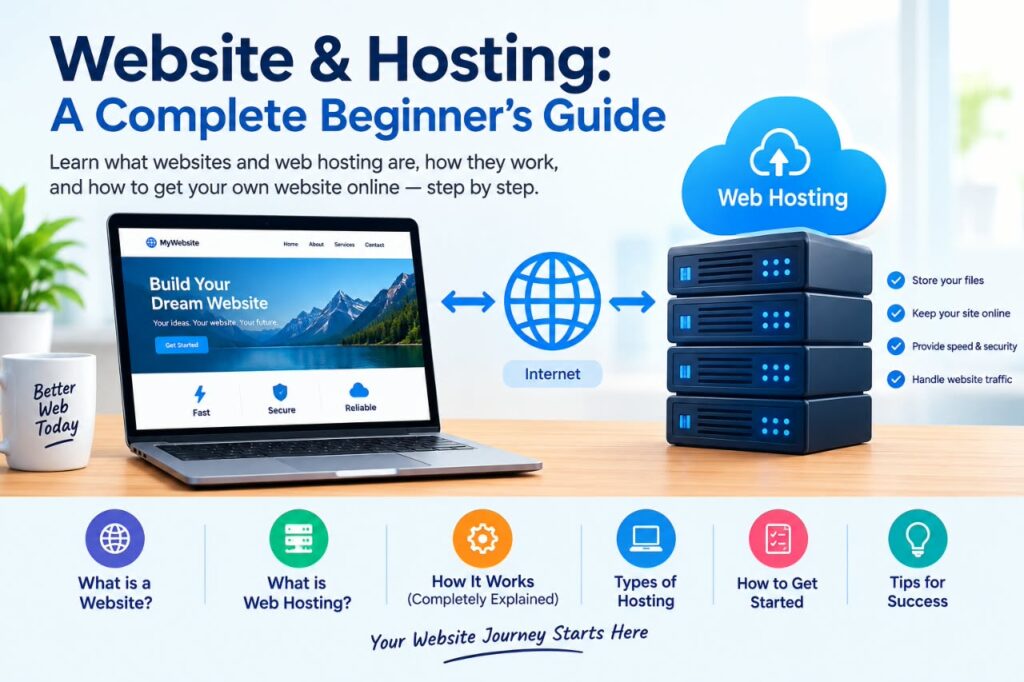
introduction
Creating a website involves more than choosing a design and publishing pages. To make a website accessible on the internet, you generally need a domain name, web hosting, website files or a content management system, and a way to manage the site.
Understanding Website & Hosting is important whether you are creating a personal blog, business website, portfolio, online store, or informational site. The good news is that you do not need to be a technical expert to understand the basics.
This guide explains what a website is, what web hosting does, how domains and hosting work together, the main types of hosting, what to consider when choosing a provider, and the basic steps for getting a website online.
What Is a Website?
A website is a collection of webpages and other digital resources that people can access through the internet using a web browser.
Websites can serve many purposes. For example, a website might be used to:
- Share information or educational content
- Promote a business or service
- Publish articles and news
- Display a portfolio
- Sell products online
- Provide an online community or application
- Build a professional presence
A website usually contains files such as HTML, CSS, JavaScript, images, videos, and other resources. Websites built with platforms such as WordPress may also use databases to store content.
When someone enters a website address into a browser, the browser requests the required resources from a server and displays the website.
What Is Web Hosting?
Web hosting is a service that provides space and computing resources for storing and delivering a website’s files and data.
A hosting provider operates servers connected to the internet. When your website is hosted on one of these servers, visitors can request your webpages through their browsers.
In simple terms:
Website = the content and functionality visitors interact with.
Hosting = the service and server infrastructure that makes that website available online.
Without suitable hosting, a website’s files would not have a reliable place from which they could be delivered to visitors.
How Website & Hosting Work Together
A useful way to understand Website & Hosting is to think of them as connected parts of the same system.
Suppose you create a WordPress website for a small business. You might have:
- A domain name such as example.com
- A hosting account where the website is stored
- WordPress installed on the hosting account
- A database containing website content
- Images, themes, plugins, and other website files
When a visitor enters your domain name, the domain helps direct the browser toward the appropriate hosting server. The server then delivers the requested website resources to the visitor’s browser.
This process happens quickly, so visitors usually experience it simply as “opening a website.”
What Is a Domain Name?
A domain name is the human-readable address people use to visit a website.
Examples include:
- example.com
- mybusiness.net
- myblog.org
Computers communicate using numerical IP addresses, but domain names provide a much easier way for people to identify and access websites.
A domain name and web hosting are related, but they are not the same thing.
Domain vs. Hosting
A simple comparison is:
| Domain Name | Web Hosting |
| Website address | Server service |
| Helps visitors find your website | Stores and delivers website resources |
| Registered through a domain registrar | Purchased from a hosting provider |
| Example: example.com | Server space and related resources |
Some companies offer both domain registration and hosting, while others specialize in one service.
Which One Do You Need?
The choice depends on what you are trying to set up:
- Need a website address? → You need a domain name.
- Need somewhere to store and deliver your website? → You need web hosting.
- Want to launch a typical self-hosted website? → You generally need both a domain and hosting.
- Using a website builder? → Hosting may already be included as part of the platform.
Understanding what each service does can help you avoid purchasing services you do not need.
Main Types of Web Hosting
Different websites have different requirements. Hosting providers commonly offer several types of hosting, each with different levels of resources, management, flexibility, and cost.
Shared Hosting
Shared hosting places multiple websites on the same physical server and its resources.
It is often designed for smaller websites, blogs, portfolios, and websites that do not require extensive server resources.
Advantages:
- Generally simple to set up
- Often affordable
- Suitable for many beginner websites
- Usually includes a hosting control panel
Limitations:
- Server resources are shared
- Performance can depend partly on the hosting environment
- Advanced server configuration may be limited
Shared hosting can be a practical starting point for a small website, but it may not be the best choice for every project.
VPS Hosting
VPS stands for Virtual Private Server. A physical server is divided into virtual environments that provide more isolated resources and control than typical shared hosting.
VPS hosting can be useful for websites and applications that need more control or resources.
Advantages:
- More control than shared hosting
- Greater flexibility
- Suitable for growing projects
- Can provide dedicated portions of server resources
Limitations:
- Usually more expensive than basic shared hosting
- Some plans require more technical knowledge
- Server management responsibilities can vary
Dedicated Hosting
With dedicated hosting, an entire physical server is allocated to one customer.
This can provide substantial control and resources for demanding websites and applications.
Advantages:
- Extensive server control
- Dedicated hardware
- Suitable for demanding workloads
Limitations:
- Higher cost
- More technical management may be required
- Often unnecessary for small websites
Cloud Hosting
Cloud hosting uses a network of connected computing resources rather than relying on a single traditional server environment.
Cloud hosting can provide flexibility for websites and applications with changing resource requirements.
Advantages:
- Flexible resource options
- Can support scalable applications
- Often provides multiple infrastructure options
Limitations:
- Pricing structures can be more complicated
- Configuration varies significantly between providers
- Advanced setups may require technical knowledge
Managed Hosting
Managed hosting means the provider handles some technical tasks on behalf of the customer.
The exact services depend on the provider and plan. They may include areas such as software management, security assistance, backups, or performance-related configuration.
Managed hosting can be useful for website owners who want to spend less time handling server administration.
Hosting Type Comparison
Each hosting type is designed for different website requirements. The table below provides a quick comparison of the main options discussed above:
| Hosting Type | Best For | Main Advantage | Main Limitation |
|---|---|---|---|
| Shared Hosting | Small websites | Simple and affordable | Shared resources |
| VPS Hosting | Growing websites | More control | More technical |
| Dedicated Hosting | High-demand projects | Dedicated hardware | Higher cost |
| Cloud Hosting | Flexible projects | Scalable infrastructure | Can be more complex |
| Managed Hosting | Users wanting less administration | Provider handles some technical tasks | Usually costs more |
The right choice depends on factors such as your website’s size, expected traffic, technical requirements, budget, and how much server management you want to handle yourself.
My Practical Recommendation: Start by identifying your website’s actual requirements instead of choosing hosting based only on popularity or price. A small website may not need an advanced hosting environment, while a growing or technically demanding project may require more resources and control.
How to Choose the Right Hosting
There is no single hosting plan that is best for every website. Your choice should depend on your website’s requirements rather than simply selecting the most expensive plan.
Consider the following factors.
1. Website Type
First, identify what you are building.
A small blog may have very different requirements from an online store, membership website, or web application.
2. Expected Traffic
Think about how many visitors you expect and whether traffic could change significantly over time.
A new website may start with modest requirements and upgrade later as its audience grows.
3. Storage
Check how much storage the hosting plan provides.
Text-based websites may need relatively little storage, while websites containing many high-resolution images, videos, downloads, or other large files may require considerably more.
4. Performance
Website performance affects how quickly pages can load and how smoothly visitors can interact with the site.
Look for hosting infrastructure designed to provide consistent performance and check what resources are included in the plan.
5. Security Features
Security should be an important consideration when selecting hosting.
Depending on the provider, useful features may include:
- SSL/TLS support
- Automated backups
- Malware monitoring
- Security tools
- Account protection
- Software update options
No hosting provider can eliminate every possible security risk, so website owners should also follow good security practices.
6. Backups
Backups can help you recover your website after accidental changes, technical problems, or other issues.
Before purchasing hosting, check whether backups are included, how frequently they are created, and how long they are retained.
Do not assume that every hosting plan provides the same backup service.
7. Customer Support
Good customer support can be valuable, especially for beginners.
Check how support is provided and whether the provider offers documentation, live chat, tickets, phone support, or other assistance.
8. Renewal Pricing
A hosting plan may have an introductory price that differs from its regular renewal price.
Always check the pricing terms before purchasing. Consider the cost over the period you realistically expect to use the service rather than focusing only on the initial promotional price.
Hosting Selection Checklist
Before purchasing a hosting plan, use this checklist to compare your options:
- What type of website are you building? – Consider whether it is a blog, business website, portfolio, online store, or web application.
- How much storage do you need? – Estimate your current needs and allow reasonable room for future content.
- Does the plan support your website platform? – Check that the hosting environment supports WordPress, your website builder, or other software you plan to use.
- What is the regular renewal price? – Compare the ongoing price, not only the introductory offer.
- Are backups included? – Check how often backups are created and how restoration works.
- What security features are included? – Review the security features provided by the hosting company.
- What support options are available? – Check whether the available support methods suit your needs.
- Can you upgrade later? – Make sure there is a practical upgrade path if your website grows.
- Are there traffic or resource limits? – Understand what happens if your website exceeds the included resources.
- Are migration services available? – If you already have a website, check whether migration assistance is included.
My Practical Recommendation: Compare hosting plans based on your website’s actual needs, rather than simply choosing the lowest price or the one with the highest number of advertised features; consider what is best for your current situation.
What You Need to Build a Website
The exact requirements depend on the type of website, but a typical website may need:
- Domain name – the address visitors use.
- Web hosting – the infrastructure where website resources are stored and delivered.
- Website platform – such as WordPress or another content management system.
- Website design – the layout, theme, or custom interface.
- Content – articles, images, product information, or other useful material.
- Security configuration – appropriate passwords, updates, and other protections.
- Backup system – a way to recover important website data.
Not every website requires every component in the same form.
How to Create a Website and Put It Online
For a basic website, the process can be relatively straightforward.
Step 1: Define Your Website’s Purpose
Before purchasing anything, determine what the website is supposed to accomplish.
For example, you might want to create:
- A business website
- A blog
- A portfolio
- An educational website
- An online store
Knowing the purpose makes it easier to select appropriate tools.
Step 2: Choose a Domain Name
Choose a domain that is easy to remember, relevant to your project, and reasonably simple to type.
Avoid making the domain unnecessarily complicated.
Step 3: Select a Hosting Plan
Compare hosting plans based on your actual requirements.
Pay attention to storage, performance, backups, security, support, renewal pricing, and upgrade options.
Step 4: Connect the Domain to Your Hosting
If your domain and hosting are purchased from different companies, you may need to update DNS or nameserver settings.
The hosting provider and domain registrar normally provide instructions for completing this process.
DNS changes can take some time to become available across the internet.
Step 5: Install Your Website Platform
Many hosting providers offer tools for installing content management systems such as WordPress.
If you are using another platform or building the site yourself, follow the platform’s official installation instructions.
Step 6: Create Your Website
Add your pages, navigation, images, branding, and other content.
At minimum, many professional websites benefit from clear pages such as:
- Home
- About
- Contact
- Privacy Policy
- Terms or other relevant legal information
- Main content or service pages
The exact pages depend on the purpose of the website.
Step 7: Test Before Publishing
Check your website on desktop and mobile devices.
Test:
- Navigation menus
- Contact forms
- Important links
- Images
- Page loading
- Mobile layout
- HTTPS
- Buttons and interactive elements
Fix obvious problems before promoting the website.
Website Pre-Launch Checklist
Before making your website publicly available, check the following:
- Domain connected correctly
- HTTPS working
- Navigation tested
- Contact forms tested
- Important links working
- Mobile layout checked
- Images optimized
- Essential pages published
- Backup configured
- Basic SEO settings checked
My Practical Recommendation: Test the website as if you were a first-time visitor. Check the main pages, forms, links, mobile layout, and important user actions before launch.
Website & Hosting Costs
The cost of running a website varies considerably.
Common expenses may include:
- Domain registration
- Hosting
- Premium themes or templates
- Premium plugins or extensions
- Website development
- Email services
- Security services
- Professional images or other content resources
A simple website can often be operated with a relatively modest budget, while a large business website or application may require significantly more infrastructure and professional services.
Always review the provider’s current pricing because plans, features, and renewal rates can change.
Free Hosting vs. Paid Hosting
Free hosting can be useful for experimentation or learning, but it often comes with limitations.
Free Hosting
Potential advantages include:
- No hosting fee
- Useful for testing
- Easy entry for beginners
Potential disadvantages can include:
- Limited storage or resources
- Fewer configuration options
- Possible advertising or platform restrictions
- Limited support
- Less flexibility
Paid Hosting
Paid hosting generally provides more features and control, although the exact benefits depend on the provider.
For a serious business or professional website, it is important to evaluate reliability, support, security, resources, and terms rather than choosing a plan solely because it is inexpensive.
Website Security Basics
Website security is an ongoing responsibility.
Some basic practices include:
Use HTTPS
HTTPS encrypts communication between a visitor’s browser and the website when properly configured.
Many hosting providers support SSL/TLS certificates for websites.
Keep Software Updated
If your website uses WordPress, plugins, themes, or other software, keep them updated according to the developer’s recommendations.
Outdated software can create unnecessary security and compatibility risks.
Use Strong Passwords
Use strong, unique passwords for hosting accounts, website administrator accounts, email accounts, and other important services.
Where available, enable multi-factor authentication.
Maintain Backups
Keep reliable backups and understand how to restore them.
A backup is most useful when you know that it can actually be restored successfully.
Common Website & Hosting Mistakes
Beginners often focus heavily on price and overlook other important factors.
Choosing Only by Price
The cheapest plan is not necessarily the best option.
Consider the complete package, including resources, support, backups, security, renewal costs, and upgrade options.
Buying More Resources Than Necessary
At the other extreme, beginners may pay for resources they do not currently need.
Start with requirements appropriate for your project and upgrade when there is a genuine need.
Ignoring Renewal Prices
Always check the regular renewal price and billing terms before signing up.
Forgetting Backups
Do not assume that having a hosting account automatically means you have a complete recovery strategy.
Installing Too Many Plugins
For platforms such as WordPress, install only plugins you actually need and maintain them properly.
Too many unnecessary plugins can make website management more complicated and may introduce compatibility or security concerns.
Neglecting Mobile Users
A website that looks good on a desktop computer may not work well on a phone.
Test your pages at different screen sizes.
Website Hosting Performance Tips
You can improve the experience of your website visitors by following several practical principles.
Optimize Images
Large image files can increase page loading time. Resize images appropriately and use efficient formats where suitable.
Use Caching When Appropriate
Caching can reduce the amount of work required to generate some pages repeatedly. The correct caching setup depends on your platform and hosting environment.
Keep Your Website Organized
Remove unnecessary files, themes, plugins, and other resources.
A simpler website can be easier to maintain.
Monitor Your Website
Regularly check whether your important pages, forms, links, and other features continue to work correctly.
When Should You Upgrade Your Hosting?
You may need to consider a different hosting plan when your current setup no longer meets your requirements.
Possible signs include:
- Consistently increasing resource usage
- Performance problems that are related to hosting resources
- More demanding website functionality
- Increased traffic
- Need for additional server control
- Business requirements that exceed the current plan
However, not every performance problem requires a hosting upgrade. Poorly optimized images, inefficient plugins, application issues, or configuration problems can also affect performance.
Investigate the actual cause before spending more money.
Website & Hosting: What Should Beginners Focus On?
If you are starting your first website, you do not need to understand every server technology immediately.
Focus on these fundamentals:
- Choose a clear website purpose.
- Select a suitable domain.
- Choose hosting based on your actual needs.
- Use a reliable website platform.
- Create useful, original content.
- Keep your software updated.
- Maintain backups.
- Protect administrator accounts.
- Test your website regularly.
- Review hosting pricing and terms.
As your website grows, you can learn more advanced topics such as DNS management, databases, server configuration, caching, content delivery networks, and website monitoring.
Frequently Asked Questions
What is the difference between a website and web hosting?
A website is the collection of pages, content, files, and functionality visitors use. Web hosting is the service and server infrastructure used to store and deliver those website resources over the internet.
Do I need hosting for a website?
If you want a website that you control and make accessible through your own domain, you generally need some form of hosting or website platform infrastructure. Some website-building services include hosting as part of their plans.
Can I buy a domain without hosting?
Yes. A domain name and hosting are separate services. You can register a domain without immediately purchasing web hosting, although you need appropriate hosting or another website platform to publish a website at that domain.
Which hosting is best for beginners?
There is no universal answer. Shared or managed hosting can be suitable for many beginners because these options can simplify setup and administration. The right choice depends on the website’s size, traffic, technical requirements, budget, and desired level of control.
How much does website hosting cost?
Hosting prices vary according to the provider, hosting type, resources, features, billing period, and renewal terms. Compare the total ongoing cost and included features rather than choosing a service based only on its introductory price.
Conclusion
Understanding Website & Hosting makes it easier to build and manage a reliable online presence.
A domain provides the address visitors use, while hosting provides the infrastructure that stores and delivers website resources. Different hosting options—from shared hosting to VPS, dedicated, cloud, and managed hosting—are designed for different needs.
For beginners, the best approach is to start with a clear purpose, choose a suitable domain and hosting plan, create useful content, protect the website, maintain backups, and monitor its performance over time.
You do not need the most expensive hosting plan to build a useful website. What matters is choosing infrastructure that matches your current requirements while leaving room for reasonable growth.