


Introduction
Creating a website can seem complicated when you first encounter terms such as domains, web hosting, servers, DNS, SSL certificates, content management systems, and databases. In reality, the basic process is easier to understand once these pieces are connected.
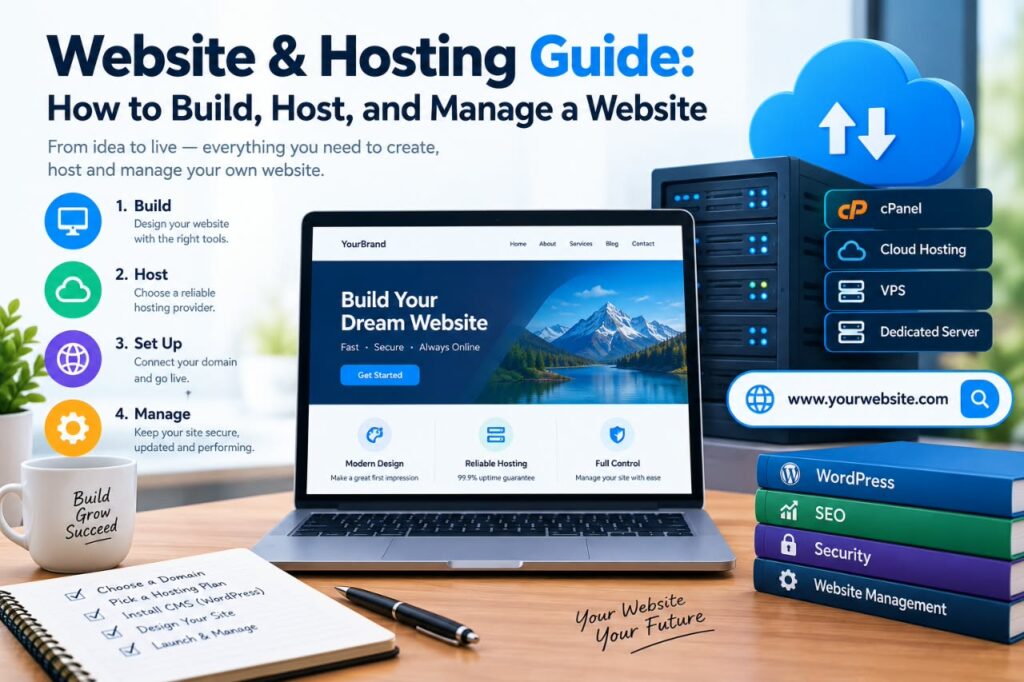
This Website & Hosting Guide explains how websites work, what you need to create one, how web hosting fits into the process, and how to manage a website after it goes live. Whether you are creating a personal blog, business website, portfolio, online publication, or another type of website, understanding these fundamentals can help you make better decisions.
What Is a Website?
A website is a collection of connected web pages and resources that people can access through the internet. A website may contain text, images, videos, forms, downloadable files, applications, or other interactive features.
When someone enters a website address into a browser, the browser communicates with a server and requests the information needed to display the page.
For example, a typical website may include:
- A homepage
- About page
- Contact page
- Blog or articles
- Images and other media
- Navigation menus
- Privacy and legal pages
- Forms or interactive features
A website can be very simple or highly complex depending on its purpose.
What Is Web Hosting?
Web hosting is a service that provides the infrastructure needed to make website files accessible through the internet.
Website files need to be stored somewhere connected to the internet. A hosting provider operates servers where these files and related website resources can be stored.
When visitors access your website, the hosting server delivers the requested resources to their browsers.
In simple terms:
Website = the content and functionality people see and use.
Web hosting = the server space and infrastructure that makes the website available online.
Hosting is therefore an important part of running a website, but it is not the same thing as the website itself.
What Is a Domain Name?
A domain name is the human-readable address people use to visit a website.
For example:
example.com
Instead of requiring visitors to remember a numerical IP address, a domain provides an easier way to identify and access a website.
A domain normally consists of a name and an extension.
Examples of extensions include:
- .com
- .org
- .net
- .info
- Country-code extensions such as .uk or .so
Domain names are registered through domain registrars. Registration generally requires paying a fee, although pricing and renewal terms vary depending on the registrar and domain extension.
Domain vs. Hosting: What Is the Difference?
One of the most common beginner questions is whether a domain and hosting are the same thing.
They are different services.
| Domain | Web Hosting |
|---|---|
| Website address | Server space and infrastructure |
| Helps visitors find your website | Stores and delivers website resources |
| Registered through a registrar | Purchased from a hosting provider |
| Example: example.com | Server where website files are stored |
Think of it like a physical business:
- Domain: the address customers use to find the business.
- Hosting: the building or space where the business operates.
- Website: the business’s actual content, services, and information.
Some companies offer both domain registration and hosting, but you can also purchase them from different providers.
How Does a Website Work?
Several technologies work together when someone visits a website.
A simplified process looks like this:
- A visitor enters a domain name.
- The browser determines where the domain should connect.
- DNS information helps direct the request to the appropriate server.
- The hosting server receives the request.
- The server sends the required website resources.
- The browser processes those resources.
- The visitor sees the webpage.
This process happens quickly, although the actual technical architecture can be much more complicated.
What Is DNS?
DNS stands for Domain Name System.
DNS helps connect domain names with the technical addresses used by internet infrastructure.
Without DNS, users would generally need to remember IP addresses rather than convenient domain names.
For example, when someone types:
example.com
DNS helps determine which server or service should receive the request.
DNS records can be used for different purposes. Common record types include:
- A record: Connects a domain or hostname to an IPv4 address.
- AAAA record: Connects a hostname to an IPv6 address.
- CNAME record: Points one hostname to another hostname.
- MX record: Specifies mail servers for a domain.
- TXT record: Stores text-based information used for various verification and configuration purposes.
DNS changes may take time to become visible across different systems, depending on caching and other factors.
What Is an SSL Certificate?
SSL certificates help establish encrypted connections between a visitor’s browser and a website.
Modern websites commonly use HTTPS rather than plain HTTP.
When HTTPS is properly configured, information transferred between the browser and website can be protected against certain forms of interception.
Browsers may also display security indicators for HTTPS websites.
For websites that collect information through forms, account systems, or other interactions, using HTTPS is an important part of responsible website management.
Choosing the Right Type of Web Hosting
Different websites have different hosting requirements. There is no single hosting plan that is best for everyone.
Shared Hosting
Shared hosting places multiple websites on the same server environment.
It is often designed for smaller websites and beginners because it can be relatively simple to set up.
Advantages:
- Generally beginner-friendly
- Usually lower cost than more advanced hosting
- Simple management tools may be included
Limitations:
- Resources are shared
- Performance can depend on the hosting environment
- Advanced configuration may be limited
Shared hosting can be suitable for a small blog, personal website, or early-stage project.
VPS Hosting
VPS stands for Virtual Private Server.
A VPS provides a more isolated and configurable environment than traditional shared hosting.
It can be useful for websites that require more control or resources.
Advantages:
- More control
- Greater configuration flexibility
- Suitable for growing websites and technical projects
Limitations:
- Can cost more
- Management may require additional technical knowledge
- Server configuration becomes more important
Cloud Hosting
Cloud hosting uses cloud infrastructure rather than relying on a traditional single-server setup.
Cloud environments can provide flexible infrastructure and different resource configurations.
The exact features depend heavily on the provider and service plan.
Dedicated Hosting
With dedicated hosting, a customer has a server dedicated to their use.
This can provide substantial control and resources but is usually more expensive and may require greater technical expertise.
Dedicated hosting is generally more appropriate for organizations with specific performance, configuration, or infrastructure requirements.
How to Choose a Hosting Provider
Choosing a hosting provider should involve more than comparing the cheapest advertised price.
Consider the following factors:
Performance
Look for hosting infrastructure appropriate for the size and technical requirements of your website.
Reliability
Check the provider’s published information about availability, infrastructure, and service reliability.
Customer Support
Good support can be valuable when you experience configuration or technical problems.
Security Features
Consider features such as HTTPS support, backups, malware protection, account security, and server-level protections.
Backup Options
Regular backups can help you recover from accidental changes, technical failures, or other problems.
Do not assume that every hosting plan provides the same backup system. Check what is included and how restoration works.
Scalability
A website that grows may eventually require additional resources. Choose an environment that allows you to upgrade when necessary.
Renewal Pricing
Some hosting offers have introductory prices that change at renewal. Check the regular renewal cost before purchasing.
Hosting Selection Checklist
Before buying a hosting plan, compare the features with the actual needs of your website rather than choosing a plan based only on price.
What to Check Before Buying
Consider these questions:
- What type of website are you building?
- How much storage do you need?
- What level of traffic do you expect?
- Does the plan include backups?
- What security features are included?
- How much will the plan cost after the introductory period?
- Can you upgrade if your website grows?
- What type of customer support is available?
The right choice can depend on the size and purpose of the website.
For example:
| Website Type | What to Consider |
|---|---|
| Small blog | Simple management, reasonable cost, basic resources and backups |
| Business website | Reliability, security, support, backups, and room to grow |
| High-traffic website | Higher resource capacity, scalability, performance, and technical support |
My Practical Recommendation: Choose a hosting plan based on your website’s current requirements and realistic growth needs. Avoid paying for resources you do not need, but also avoid choosing a plan that may quickly become too limited for your website.
How to Build a Website
There are several ways to create a website.
Your choice depends on your technical knowledge, budget, goals, and the type of website you want to build.
Option 1: Use a Content Management System
A content management system, commonly called a CMS, allows users to create and manage website content without building every page manually.
A CMS can be useful for:
- Blogs
- Business websites
- News and information websites
- Personal websites
- Online publications
- Content-focused projects
Many CMS platforms provide themes, plugins, extensions, and administration interfaces.
Option 2: Use a Website Builder
Website builders typically provide visual interfaces for creating websites.
They can be useful for people who want a simpler setup and do not want to manage server configuration themselves.
The trade-off is that some builders provide less technical control than a self-managed website.
Option 3: Build the Website With Code
Developers can create websites using technologies such as:
- HTML
- CSS
- JavaScript
- Server-side programming languages
- Databases
- APIs
- Web frameworks
This approach provides significant flexibility but requires more technical knowledge.
CMS vs Website Builder vs Coding
Choosing a website-building method depends on your technical skills, the level of control you need, and the type of website you want to create.
| Method | Main Advantage | Main Limitation | Suitable For |
|---|---|---|---|
| CMS | Flexible content management | Requires some setup and maintenance | Blogs and business websites |
| Website Builder | Easy to start | Less technical control | Beginners |
| Coding | Maximum flexibility | Requires technical skills | Developers |
What This Comparison Shows
There is no single website-building method that fits every situation. A CMS can be useful for people who want flexibility and regular content management, while website builders can make the process simpler for beginners. Coding provides greater control but generally requires more technical knowledge.
My Practical Recommendation: Choose the method based on how much control you need and how comfortable you are with technical tasks. If you want a manageable website without extensive coding, a CMS or website builder may be more practical. If you have development skills and need highly customized functionality, coding may be more suitable.
Basic Steps to Launch a Website
A typical website launch can follow this process.
Step 1: Define Your Website’s Purpose
Before purchasing hosting or designing pages, decide what the website is intended to accomplish.
For example, your website might be designed to:
- Publish educational articles
- Present a business
- Display a portfolio
- Promote a service
- Provide useful resources
- Build an online community
A clear purpose makes later decisions easier.
Step 2: Choose a Domain Name
Select a domain that is easy to understand, relevant to the project, and reasonably easy to remember.
Avoid unnecessarily complicated names, excessive hyphens, or names that could confuse visitors.
Before registering a domain, check its availability and registration terms.
Step 3: Select a Hosting Plan
Choose hosting based on your actual requirements rather than simply selecting the most expensive package.
For a small website, basic hosting may be sufficient. More demanding websites may require additional resources or specialized infrastructure.
Step 4: Connect the Domain to Hosting
If your domain and hosting are purchased from different providers, you may need to update DNS settings.
Your hosting provider normally supplies the required DNS information.
Follow the provider’s current documentation because configuration procedures can change.
Step 5: Install or Build Your Website
Depending on your chosen method, you can install a CMS, use a website builder, or upload your own website files.
Step 6: Configure HTTPS
Make sure your website is correctly configured for HTTPS and that pages load securely.
Step 7: Create Essential Pages
Many websites benefit from clear pages such as:
- Home
- About
- Contact
- Privacy Policy
- Terms or other relevant legal information
- Blog or Resources
The exact pages depend on your website’s purpose and applicable requirements.
Step 8: Test the Website
Before promoting your website, test it on different devices and browsers.
Check:
- Navigation
- Links
- Contact forms
- Images
- Page layouts
- Mobile usability
- HTTPS
- Loading behavior
- Spelling and formatting
A website should be tested from the visitor’s perspective, not only from the administrator’s perspective.
Website Launch Checklist
Before making your website available to visitors, use this practical checklist to catch common setup problems:
- Domain connected correctly – Make sure your domain points to the correct website or hosting service.
- HTTPS working – Check that your website loads securely with HTTPS.
- Navigation tested – Open the main menu and confirm that important pages are easy to reach.
- Contact forms tested – Submit a test message and confirm that it reaches the correct destination.
- Mobile layout checked – Review the website on a smartphone or narrow screen to make sure text, buttons, images, and menus display properly.
- Important links working – Check internal links, external links, buttons, and calls to action.
- Images optimized – Make sure images are appropriately sized and do not unnecessarily slow down pages.
- Essential pages published – Check that important pages such as Home, About, Contact, Privacy Policy, and other relevant pages are available.
- Backup configured – Confirm that your website has a suitable backup method before launch.
- Basic SEO settings checked – Review page titles, meta descriptions, indexing settings, URLs, and other basic search-related settings.
My Practical Recommendation: Don’t treat the website as finished simply because it loads successfully. Test the important visitor actions yourself before launch, especially navigation, forms, mobile layouts, and links.
How to Manage a Website After Launch
Launching a website is only the beginning. Ongoing management helps keep it useful, secure, and functional.
Keep Software Updated
If you use a CMS, plugins, themes, frameworks, or other software, keep supported components updated according to the developer’s recommendations.
Updates can include security fixes, bug fixes, compatibility improvements, and new functionality.
Before making major updates, maintaining a current backup is a sensible precaution.
Create Regular Backups
A backup provides a recovery option if website files or data are accidentally changed or lost.
Ideally, understand:
- What is being backed up
- How often backups are created
- Where backups are stored
- How restoration works
- How long backups are retained
A backup that cannot be restored when needed is not a reliable recovery strategy, so restoration procedures should be understood and tested where practical.
Monitor Website Performance
Pay attention to issues such as unusually slow pages, failed requests, broken links, or server errors.
Website performance can be influenced by many factors, including hosting resources, images, scripts, plugins, databases, and third-party services.
Keep Content Current
Review older articles and pages periodically.
Update information when it becomes outdated, remove broken links, correct errors, and improve pages where readers would benefit from clearer explanations.
Website Security Basics
Every website should take reasonable security precautions.
Important practices include:
- Use strong, unique administrator passwords.
- Enable multi-factor authentication when available.
- Keep software updated.
- Use HTTPS.
- Limit unnecessary administrator accounts.
- Maintain backups.
- Review installed plugins and extensions.
- Remove software that is no longer needed.
- Monitor unusual account or website activity.
Security is an ongoing process rather than a one-time installation.
No website can be guaranteed to be completely immune from security problems, so sensible preventive and recovery measures are important.
Simple Website Maintenance Routine
A simple maintenance routine can help you keep your website organized and identify common problems before they become more difficult to resolve.
Weekly
- Check important pages
- Test contact forms
- Look for obvious errors
Monthly
- Review your backups
- Check for broken links
- Review website performance
- Update content where necessary
Every Few Months
- Review plugins and remove unused ones
- Review unused user accounts and access permissions
- Check domain and hosting renewal dates
- Review important security settings
My Practical Recommendation: Maintain the website consistently; simple, regular updates are better than waiting for multiple similar issues to pile up at once.
Common Website Costs
The cost of running a website depends on its technology and requirements.
Possible expenses include:
- Domain registration
- Web hosting
- Premium themes
- Plugins or extensions
- Professional design
- Development
- Email services
- Backup services
- Security services
- Content creation
- Images or other licensed media
A simple website may require relatively few paid services, while a complex website can have significantly higher operating costs.
Always check pricing, renewal terms, usage limits, and cancellation policies before purchasing services.
Free Hosting vs. Paid Hosting
Free hosting can be useful for learning, experiments, or temporary projects, but it may come with restrictions.
Possible limitations include:
- Limited storage
- Limited bandwidth
- Advertising
- Fewer configuration options
- Subdomains instead of custom domains
- Limited support
- Resource restrictions
Paid hosting generally provides more features and control, although the quality and capabilities vary between providers.
For an important professional website, evaluate the provider based on features and reliability rather than price alone.
Common Website and Hosting Mistakes
Beginners often make avoidable mistakes when launching websites.
Choosing Hosting Based Only on Price
The cheapest plan is not necessarily the best choice. Consider resources, support, security, backups, and renewal pricing.
Ignoring Backups
Technical problems can happen unexpectedly. A backup strategy can reduce the impact of data loss.
Installing Too Many Plugins
Additional plugins can introduce maintenance requirements and may affect performance or compatibility. Install only what your website actually needs.
Forgetting Mobile Visitors
A large range of devices can access websites. Your pages should be usable on smaller screens as well as desktop computers.
Ignoring Website Security
Weak passwords, outdated software, and unnecessary administrator accounts can increase security risks.
Publishing Without Testing
Broken links, incorrect forms, formatting errors, and mobile problems can create a poor visitor experience.
Failing to Maintain Content
Old or inaccurate information can reduce the usefulness of a website. Content should be reviewed when circumstances or information change.
Website Hosting and SEO
Hosting is only one part of search engine optimization.
A website’s visibility can depend on many factors, including the usefulness and quality of its content, technical accessibility, page experience, links, website structure, and how well pages satisfy users’ search needs.
A technically functional hosting environment provides a foundation, but good hosting alone does not automatically make a website rank well.
For SEO, focus on creating useful pages that answer genuine questions, use descriptive titles and headings, provide clear navigation, and make content accessible to both users and search engines.
How to Improve Website Performance
Website performance can often be improved through several practical steps.
Optimize Images
Large image files can increase page loading requirements. Use appropriate dimensions and modern formats where supported.
Reduce Unnecessary Scripts
Third-party scripts and unnecessary website features can add processing and network requirements.
Use Caching
Caching can reduce repeated work by allowing frequently requested resources to be served more efficiently.
Choose Appropriate Hosting
If a website consistently reaches the limits of its hosting environment, upgrading or changing infrastructure may be necessary.
Keep the Website Simple
A clean website does not need unnecessary features. Removing unused plugins, scripts, and resources can make maintenance easier.
Website Maintenance Checklist
A simple maintenance routine can include:
- Check important pages regularly.
- Test contact forms.
- Review broken links.
- Update supported software.
- Verify backups.
- Review security settings.
- Check website performance.
- Update outdated content.
- Confirm HTTPS is working.
- Review domain and hosting renewal dates.
- Check important analytics and search tools.
- Remove unnecessary plugins and accounts.
The frequency of each task depends on the website’s complexity and how frequently it changes.
Frequently Asked Questions
Do I need both a domain and web hosting?
For a typical self-hosted website, you generally need a domain to provide the website address and hosting to provide the server environment where the website operates. Some website-building services combine these functions into one subscription.
Can I build a website without knowing how to code?
Yes. Website builders and content management systems can allow people to create websites with limited coding knowledge. However, understanding basic concepts such as domains, hosting, DNS, security, and backups can still be useful.
How much does it cost to host a website?
There is no single price for website hosting. Costs vary according to the hosting type, provider, resources, features, introductory offers, and renewal terms. Check the current pricing directly with the hosting provider before purchasing.
Is free web hosting good for a business website?
Free hosting can be useful for learning or testing, but it may have limitations that make it less suitable for a professional business website. Consider reliability, branding, storage, support, security, and control before choosing a hosting service.
Can I change my hosting provider later?
Yes. Websites can generally be migrated from one hosting provider to another. The process may involve transferring files and databases, updating DNS settings, testing the new environment, and carefully coordinating the change to reduce disruption.
Conclusion
Understanding how websites and hosting work makes the process of building an online presence much easier. A website needs more than attractive pages: it also depends on a domain, suitable hosting, DNS configuration, security, backups, maintenance, and useful content.
The best approach is to start with your website’s purpose, choose infrastructure that matches your actual needs, configure it carefully, and maintain it consistently after launch.
Whether you are creating a personal blog, business website, portfolio, or information resource, learning these fundamentals gives you a strong foundation for managing your website confidently as it develops.