


Introduction
Artificial intelligence has become a practical part of many everyday digital tasks. Instead of being limited to highly technical applications, AI tools can now help people write documents, summarize information, organize ideas, analyze data, create visuals, research topics, manage projects, and automate repetitive work.
The challenge is not finding an AI tool. There are many available, and they differ significantly in features, pricing, privacy options, ease of use, and the type of work they are designed to support.
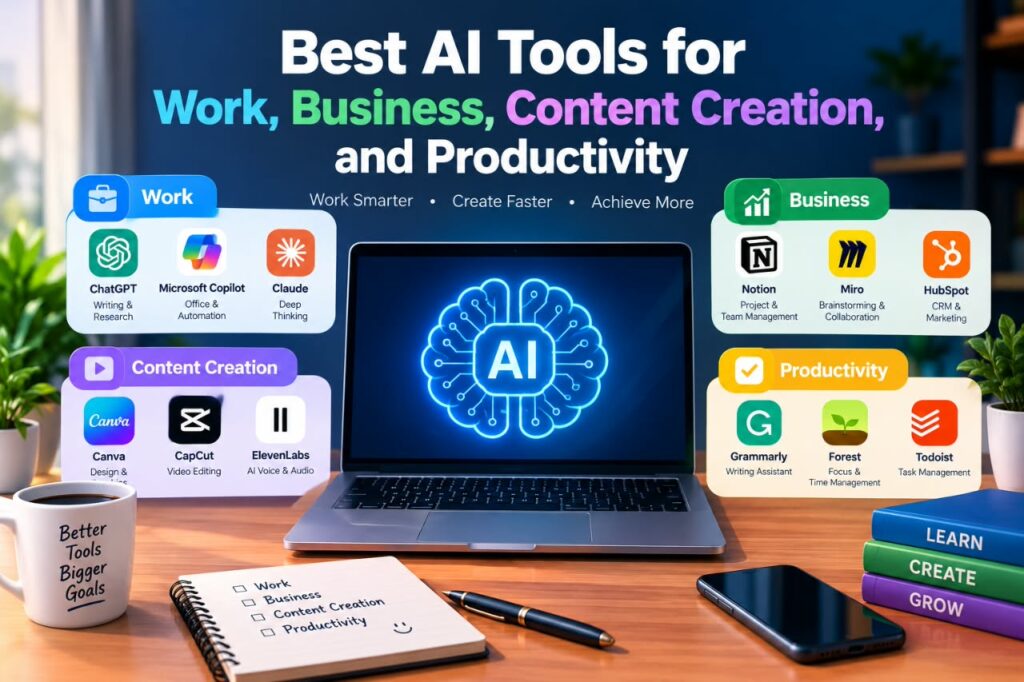
This guide explores some of the best AI tools for work, business, content creation, and productivity. It explains what each category of tool can do, where these tools are useful, their limitations, and how to choose an option that fits your needs.
What Are AI Tools?
AI tools are software applications that use artificial intelligence technologies to perform or assist with tasks that normally require human judgment or effort.
Depending on the application, an AI tool may help with:
- Writing and editing
- Research and summarization
- Data analysis
- Image and graphic creation
- Video and audio production
- Meeting notes
- Customer communication
- Project management
- Coding and software development
- Brainstorming and planning
- Repetitive administrative tasks
AI does not necessarily replace the person doing the work. In many situations, it works better as an assistant that helps users complete tasks faster while the human remains responsible for reviewing the result.
Why Use AI Tools for Work?
One of the main advantages of AI tools is that they can reduce the amount of time spent on repetitive or time-consuming tasks.
For example, a professional might use AI to create a first draft of an email, summarize a long document, organize meeting notes, or generate ideas for a presentation. The person can then review and improve the output before using it.
Common Benefits
AI tools can help with:
Time management: They can assist with repetitive tasks and reduce manual work.
Writing: AI can help organize ideas, improve clarity, and create initial drafts.
Research: Some tools can summarize information and help users explore a subject more efficiently.
Creativity: AI can generate ideas for articles, graphics, presentations, videos, and other creative projects.
Organization: Certain AI-powered applications can help structure tasks, notes, documents, and projects.
Accessibility: AI assistance can make some digital tasks easier for people who have difficulty with writing, organization, or other activities.
However, these benefits depend on the quality of the tool and how it is used.
Best AI Tools for Work
The best AI tool for work depends on the task. A writing assistant may be excellent for documents but unsuitable for project management, while a meeting assistant may be useful for teams but unnecessary for someone who works independently.
Here are several major categories to consider.
AI Writing and General-Purpose Assistants
General-purpose AI assistants can support a wide range of workplace activities.
They can be used for:
- Brainstorming
- Drafting emails
- Summarizing text
- Creating outlines
- Rewriting content
- Explaining complicated subjects
- Creating checklists
- Generating ideas
- Preparing questions for meetings
Popular examples include ChatGPT, Claude, and Google Gemini.
These tools are particularly useful when you need help starting a task rather than completing every step automatically.
Best Uses
A general-purpose assistant can be useful when you need to:
- Turn rough notes into an organized outline.
- Brainstorm possible approaches to a problem.
- Simplify technical information.
- Create a first draft.
- Review writing for clarity.
- Generate questions or ideas for a meeting.
Important Limitation
AI-generated information can contain errors. Important facts, figures, legal information, business decisions, and other high-impact information should be checked against reliable sources.
AI Research and Information Tools
Research-oriented AI tools can help users explore topics and organize information.
They may provide features such as:
- Web-assisted research
- Source discovery
- Summaries
- Question answering
- Document analysis
- Citation assistance
These tools can be valuable when starting research, but they should not automatically be treated as authoritative.
A Better Research Workflow
Use AI to help identify useful information, then verify important claims using reliable primary or official sources.
For example:
AI assistance → Find relevant information → Check the original source → Compare information → Write your conclusion
This approach reduces the risk of repeating inaccurate or outdated information.
Best AI Tools for Business
Businesses can use AI across many departments, including marketing, customer service, administration, sales, operations, and analysis.
The right tool depends on the company’s size, workflow, budget, security requirements, and existing software.
AI Tools for Marketing
Marketing teams can use AI for tasks such as:
- Content brainstorming
- Campaign ideas
- Audience research
- Email drafts
- Social media planning
- Search-intent research
- Content outlines
- Performance analysis
AI can speed up the planning process, but marketing decisions still require knowledge of the audience and the business.
A generic AI-generated campaign may sound polished but fail to reflect a company’s actual customers or brand identity.
AI Tools for Customer Support
AI-powered customer service tools can help businesses organize and respond to common customer questions.
Depending on the platform, they may support:
- Frequently asked questions
- Automated responses
- Ticket classification
- Conversation summaries
- Customer-service workflows
Businesses should be careful about what information is shared with an AI system, particularly when conversations contain confidential customer or company information.
AI Tools for Data Analysis
AI-assisted data tools can help users explore spreadsheets, identify patterns, summarize datasets, or create explanations of data.
For example, a business owner could use an AI-enabled data tool to help understand:
- Monthly sales
- Website traffic
- Inventory information
- Customer trends
- Marketing performance
AI can make analysis easier, but users should verify calculations and understand the underlying data before making important business decisions.
Best AI Tools for Content Creation
Content creators have some of the widest range of AI applications available to them.
AI can assist with written content, images, video, audio, and planning.
AI Tools for Writing Content
Writing assistants can help create:
- Blog outlines
- Article drafts
- Headlines
- Social media ideas
- Product descriptions
- Email newsletters
- Video scripts
A useful approach is to use AI for structure and brainstorming while adding your own expertise, examples, analysis, and editing.
This produces content that is more useful than publishing an unreviewed AI-generated draft.
AI Image Generation Tools
AI image generators can create visuals based on text instructions.
They can be useful for:
- Blog illustrations
- Concept art
- Social media graphics
- Presentation visuals
- Creative experiments
- Background images
Before using generated images commercially, check the specific tool’s current terms and licensing conditions. Rules can vary between platforms and may change over time.
AI Video Tools
AI video applications can assist with tasks such as:
- Script creation
- Captions
- Transcription
- Video editing
- Voice generation
- Scene creation
- Short-form content production
For creators, AI can reduce the amount of manual editing required for certain workflows.
However, human review remains important, especially for captions, names, factual statements, pronunciation, and visual consistency.
AI Audio and Voice Tools
AI-powered audio tools can assist with:
- Transcription
- Noise reduction
- Audio editing
- Voiceovers
- Podcast production
- Caption generation
When using synthetic voices or voice-related technology, creators should understand the platform’s terms and avoid using someone’s voice or identity without appropriate permission.
Best AI Tools for Productivity
Productivity tools focus on helping people organize information and complete tasks more efficiently.
AI Meeting Assistants
Meeting assistants can transcribe conversations, summarize discussions, and identify action items.
This can be helpful when a meeting contains many details and participants need a written record afterward.
Before recording or transcribing meetings, users should consider applicable company policies, consent requirements, and privacy expectations.
AI Note-Taking Tools
AI note-taking applications can organize information from meetings, documents, and personal notes.
Instead of keeping everything in unstructured text, users can use AI to identify:
- Key points
- Tasks
- Decisions
- Questions
- Follow-up items
This can make information easier to review later.
AI Scheduling and Task Management
Some productivity platforms use AI to help prioritize tasks, organize projects, or suggest workflows.
For example, instead of keeping a long list of unrelated tasks, a user might organize work according to:
- Urgent tasks
- Important projects
- Routine work
- Tasks that can be delegated or automated
- Tasks that can be postponed
AI can assist with this organization, but the user should make the final decision because priorities depend on personal and business circumstances.
Popular AI Tools to Explore
Different tools are suited to different jobs. The following categories can help you decide where to start.
| AI Tool Category | Useful For | What to Consider |
| General AI assistants | Writing, brainstorming, explanations | Accuracy and privacy |
| Writing assistants | Editing and drafting | Quality of generated text |
| Research tools | Research and summaries | Source quality |
| Image generators | Graphics and concepts | Licensing and consistency |
| Video tools | Editing and content production | Output quality and cost |
| Meeting assistants | Transcription and summaries | Privacy and consent |
| Data-analysis tools | Data exploration | Calculation accuracy |
| Project-management AI | Tasks and workflows | Integration with existing systems |
| Coding assistants | Software development | Code review and security |
| Automation tools | Repetitive workflows | Reliability and permissions |
AI Tool Comparison by User Type
Different users have different priorities when choosing AI tools. Instead of looking for one tool that does everything, consider the type of work you need to support and the features that matter most to you.
| User Type | Main Priority | Relevant AI Tool Categories |
|---|---|---|
| Employees and professionals | Writing, research, and everyday work | General AI assistants, writing tools, meeting assistants |
| Small business owners | Marketing, customer support, and efficiency | Marketing tools, customer-service tools, automation tools |
| Content creators | Writing, images, video, and audio | Writing tools, image generators, video tools, audio tools |
| Students and learners | Research, explanations, and study support | General AI assistants, research tools, note-taking tools |
| Developers | Coding, debugging, and documentation | Coding assistants, research tools, general AI assistants |
| Marketing teams | Content, research, and campaign support | Writing tools, research tools, data-analysis tools |
| Managers and teams | Collaboration, meetings, and project organization | Meeting assistants, project-management AI, productivity tools |
The right category depends on the user’s specific workflow. A content creator may need several creative tools, while a business owner may place greater importance on integrations, security, and automation.
My Practical Recommendation: Start by identifying your main type of work and the problem you want to solve. Then focus on AI tool categories that directly support that work instead of trying to use many tools at once.
How to Choose the Best AI Tools for Work
There is no single AI tool that is best for every person or business.
Instead, evaluate a tool based on the job you need it to perform.
1. Define the Problem First
Before searching for an AI application, identify the specific problem.
For example:
Instead of asking, “Which AI tool should I use?”
Ask:
“I spend two hours every week creating meeting summaries. Is there a reliable tool that can reduce this manual work?”
A clearly defined problem makes it easier to evaluate tools.
2. Check the Features
Look at the features that actually matter to your workflow.
For example, a content creator might prioritize:
- Writing assistance
- Image generation
- Video editing
- Transcription
- Export options
A business might prioritize:
- Team collaboration
- Security controls
- Integrations
- Administration
- Data management
3. Compare Pricing
AI tools may offer free plans, subscriptions, usage-based pricing, or business plans.
Do not choose a tool simply because it has the lowest price.
Consider:
- What features are included?
- Are usage limits restrictive?
- Does the free version meet your needs?
- Is billing monthly or annual?
- Are there additional usage charges?
- Can you cancel easily?
Pricing and plan features can change, so check the provider’s official pricing page before subscribing.
4. Consider Privacy
Privacy is particularly important when using AI for work.
Before entering business information into an AI service, check its current privacy policy and terms.
Avoid sharing sensitive information unless you understand how the service handles it and your organization permits its use.
5. Test Before Committing
If a free trial or free plan is available, test the tool using realistic but non-sensitive examples.
Evaluate:
- Accuracy
- Speed
- Ease of use
- Output quality
- Reliability
- Integration with your existing workflow
A tool that looks impressive in a demonstration may not necessarily be the right fit for your daily work.
AI Tool Evaluation Checklist
Before choosing an AI tool, use this checklist to determine whether it is actually suitable for your needs.
- Does the tool solve the main problem you want to address?
- Is the output quality good enough for your work?
- Does the plan include the features you need?
- Are the usage limits practical for your workflow?
- Is the pricing reasonable for the value it provides?
- Does the tool work well with your existing workflow?
- Are its privacy and data-handling practices acceptable?
- Can you export or use the results in other tools when necessary?
- Does the tool give you enough control over the final output?
- Does it actually save time or reduce unnecessary work?
My Practical Recommendation: Test an AI tool with a real task that you regularly perform. Keep using it if it provides useful results, fits your workflow, and saves meaningful time without creating unnecessary extra work.
How to Use AI Tools More Effectively
Simply having access to AI does not guarantee better results.
The quality of your instructions and your review process matter.
Give Clear Instructions
Instead of providing a vague request, explain:
- The goal
- The audience
- The format
- The important information
- Any restrictions
- The desired level of detail
For example, rather than asking for “a business email,” specify what the email should accomplish and who will receive it.
Provide Relevant Context
AI systems generally perform better when they understand the task.
If you want an article outline, for example, provide the topic, target audience, desired sections, and purpose.
Review the Output
Never assume that AI-generated content is automatically correct.
Check:
- Facts
- Names
- Dates
- Calculations
- Links
- Citations
- Tone
- Grammar
- Context
This is especially important when publishing content or making business decisions.
Keep Human Judgment in the Process
AI is a tool, not a substitute for responsibility.
A strong workflow often looks like this:
Human defines the goal → AI assists → Human checks the result → Human edits and approves
This approach combines automation with human judgment.
AI Workflow: From Task to Final Result
Using AI effectively is not only about choosing a good tool. A clear workflow can help you move from the initial task to a useful final result while keeping human review involved.
Define → Choose → Provide Context → Generate → Review → Verify → Edit → Finalize
1. Define the Task
Start by clearly identifying what you want to accomplish. A specific task makes it easier to choose the right tool and evaluate the result.
2. Choose the Right Tool
Select an AI tool based on the task, required features, output type, and your existing workflow.
3. Provide Relevant Context
Give the tool the information it needs to produce a useful result. This may include background information, goals, examples, instructions, or formatting requirements.
4. Generate the Initial Result
Use the AI tool to create a first draft, suggestion, summary, analysis, or other requested output.
5. Review the Output
Read the result carefully and check whether it meets your original goal. Look for unclear statements, missing information, or unnecessary content.
6. Verify Important Information
Check important facts, figures, sources, names, dates, and other information before relying on or publishing the result.
7. Edit and Improve
Make the necessary changes to improve accuracy, clarity, tone, and usefulness. Add your own knowledge or context where needed.
8. Finalize the Work
Complete the final version only after reviewing and editing the AI-generated result.
My Practical Recommendation: Treat AI as one part of the workflow rather than the entire process. The strongest results often come from combining AI assistance with human review, verification, editing, and final decision-making.
Advantages and Limitations of AI Tools
AI tools can be highly useful, but they also have limitations.
Advantages
- Can reduce repetitive work
- Can help generate ideas
- Can assist with writing and editing
- Can organize information
- Can support creative workflows
- Can help users explore unfamiliar topics
- Can automate some routine processes
Limitations
- AI can produce inaccurate information
- Results may require substantial editing
- Some tools have usage limits
- Advanced features may require paid plans
- Privacy practices vary between providers
- AI-generated content may lack originality without human input
- Some outputs can contain bias or inappropriate assumptions
- Tools and pricing can change over time
Understanding these limitations helps users make better decisions.
Common Mistakes When Using AI at Work
Relying on AI Without Verification
One of the biggest mistakes is assuming that an AI response is automatically factual.
Always verify important information.
Using Too Many Tools
Having ten different AI applications does not necessarily make a workflow more productive.
It can create:
- More subscriptions
- More accounts
- More complicated workflows
- Duplicate features
- More data-management concerns
Start with one or two tools that solve a genuine problem.
Uploading Sensitive Information
Do not upload confidential company information, private customer data, passwords, financial credentials, or other sensitive material unless you are authorized to do so and understand the service’s data practices.
Publishing Unedited AI Content
AI-generated content often needs human editing.
Adding original analysis, examples, experience, context, and useful explanations can make the final work substantially more valuable to readers.
When Not to Use AI
AI tools can be useful for many tasks, but they are not suitable for every situation. In some cases, using AI without appropriate human oversight can create unnecessary risks or reduce the quality of the work.
When the Information Is Highly Sensitive
Avoid entering confidential, personal, financial, or other sensitive information into an AI tool unless you understand how the service handles and protects that information.
When Accuracy Must Be Guaranteed
AI-generated information can contain errors. For tasks where accuracy is critical, important information should be checked against reliable sources or reviewed by a qualified person.
When Human Expertise Is Legally or Professionally Required
Some tasks require qualified professional judgment or specific legal, medical, financial, or other expertise. AI can provide general assistance, but it should not replace required professional review.
When the Task Depends Heavily on Personal Judgment
Some decisions depend on experience, context, values, or knowledge that an AI tool may not fully understand. In these situations, human judgment should remain central to the process.
When AI Creates More Work Than It Saves
AI is not automatically useful simply because it is faster at generating content. If correcting, checking, and editing the output takes more time than completing the task yourself, using AI may not provide a practical benefit.
My Practical Recommendation: Before using Artificial Intelligence (AI), consider the sensitivity of the information, the required level of accuracy, the importance of human expertise, and whether the tool will actually simplify the task; prioritizing human expertise is the most crucial factor in the decision-making process.
Are AI Tools Free?
Some AI tools offer free versions, while others require paid subscriptions or charge based on usage.
Free plans may provide enough functionality for occasional users, while professionals or businesses may need additional features, higher usage limits, team controls, or integrations.
Because pricing changes frequently, check the provider’s official website before making a purchasing decision.
Can AI Tools Replace Human Workers?
AI can automate or assist with certain tasks, but that does not mean every job can simply be replaced by AI.
Many types of work require:
- Judgment
- Creativity
- Communication
- Leadership
- Accountability
- Relationship building
- Contextual understanding
- Physical activity
In many workplaces, a more practical approach is to use AI to assist employees with specific tasks while people remain responsible for decisions and final results.
Frequently Asked Questions
What are the best AI tools for work?
The best AI tools for work depend on the task. General AI assistants are useful for writing and brainstorming, while specialized tools can help with meetings, research, data analysis, project management, content creation, and automation.
What is the best AI tool for productivity?
There is no universal best productivity tool. Choose one based on your workflow. If your main problem is meeting notes, a meeting assistant may be more useful than a general writing tool. If your problem is task organization, an AI-enabled project-management platform may be a better choice.
Are AI tools safe to use for business?
AI tools can be useful for business, but organizations should evaluate privacy, security, permissions, data handling, and vendor policies before using them with company information.
Can I use AI tools to create blog content?
Yes. AI can help with brainstorming, outlines, research assistance, drafting, editing, and content planning. However, the final article should be reviewed and improved by a human, particularly when accuracy, originality, and reader value are important.
Should I use free or paid AI tools?
It depends on your needs. A free tool may be enough for occasional tasks, while a paid plan can be worthwhile if you need higher usage limits, advanced features, collaboration, or specialized capabilities. Compare the current plans before subscribing.
Conclusion
The best AI tools for work are not necessarily the tools with the largest number of features. The right choice is the tool that solves a genuine problem and fits your workflow, budget, privacy requirements, and skill level.
AI can assist with writing, research, business operations, content creation, meetings, data analysis, and everyday productivity. However, good results still depend on human judgment.
Start with a specific task, test a suitable tool, check its limitations and privacy practices, and review AI-generated results before relying on them. Used thoughtfully, AI can become a practical assistant that supports productivity without removing the human expertise behind the work.